Features
VidVertex is organized like your workflow: create → render → publish → automate. Four sections, no filler — everything on this page exists in the app today.
The stack editor
A Stack is your video's recipe: main clip, background, overlays, music, captions, texts. You position everything once on a live preview canvas — then the recipe renders for every brand and platform you pick.
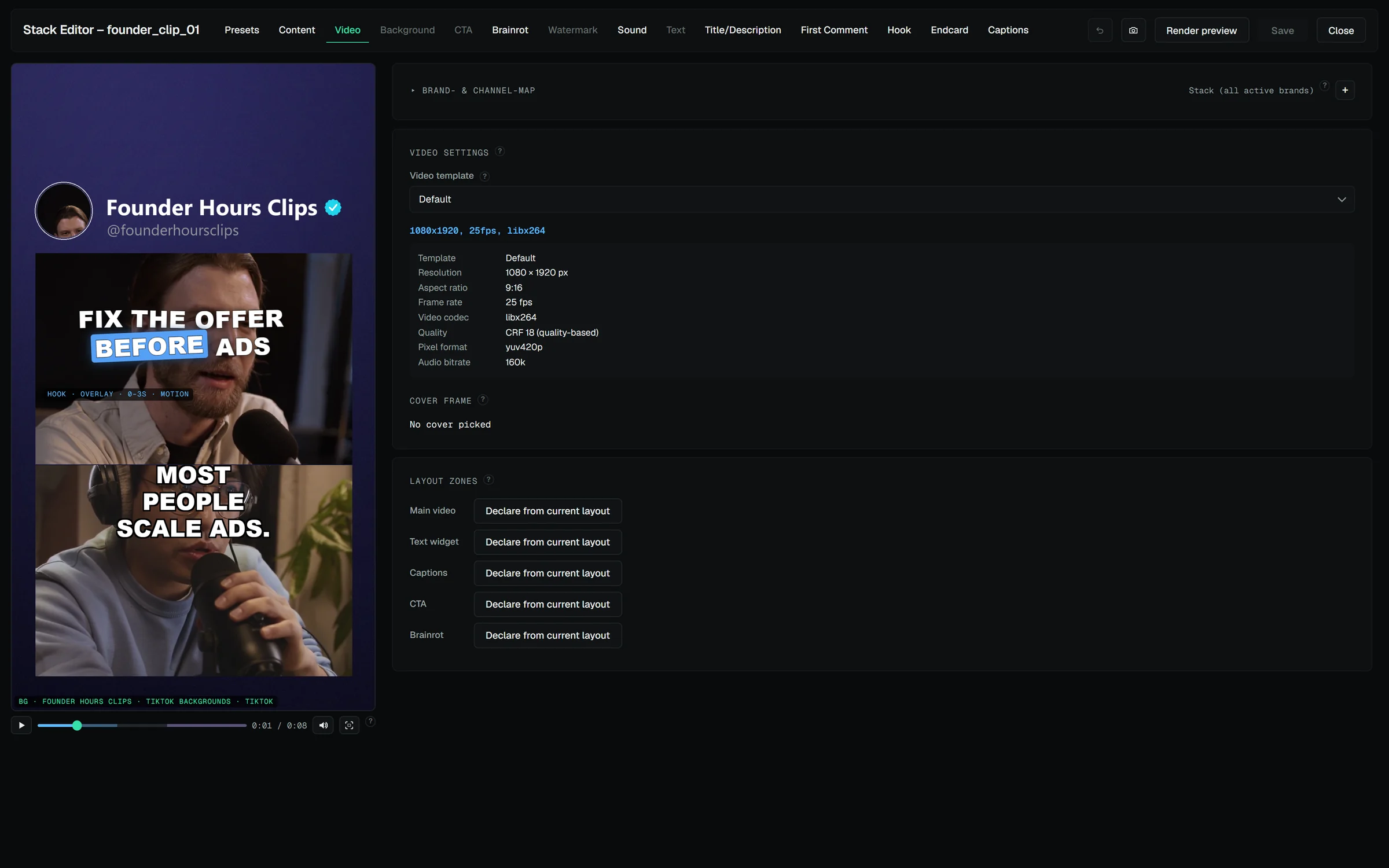
Live preview canvas. Drag, scale and layer your clip, background, CTA and split-screen overlays; scrub the timeline and watch it play with captions and hook in place. Undo with Ctrl+Z; every save keeps a snapshot you can restore.
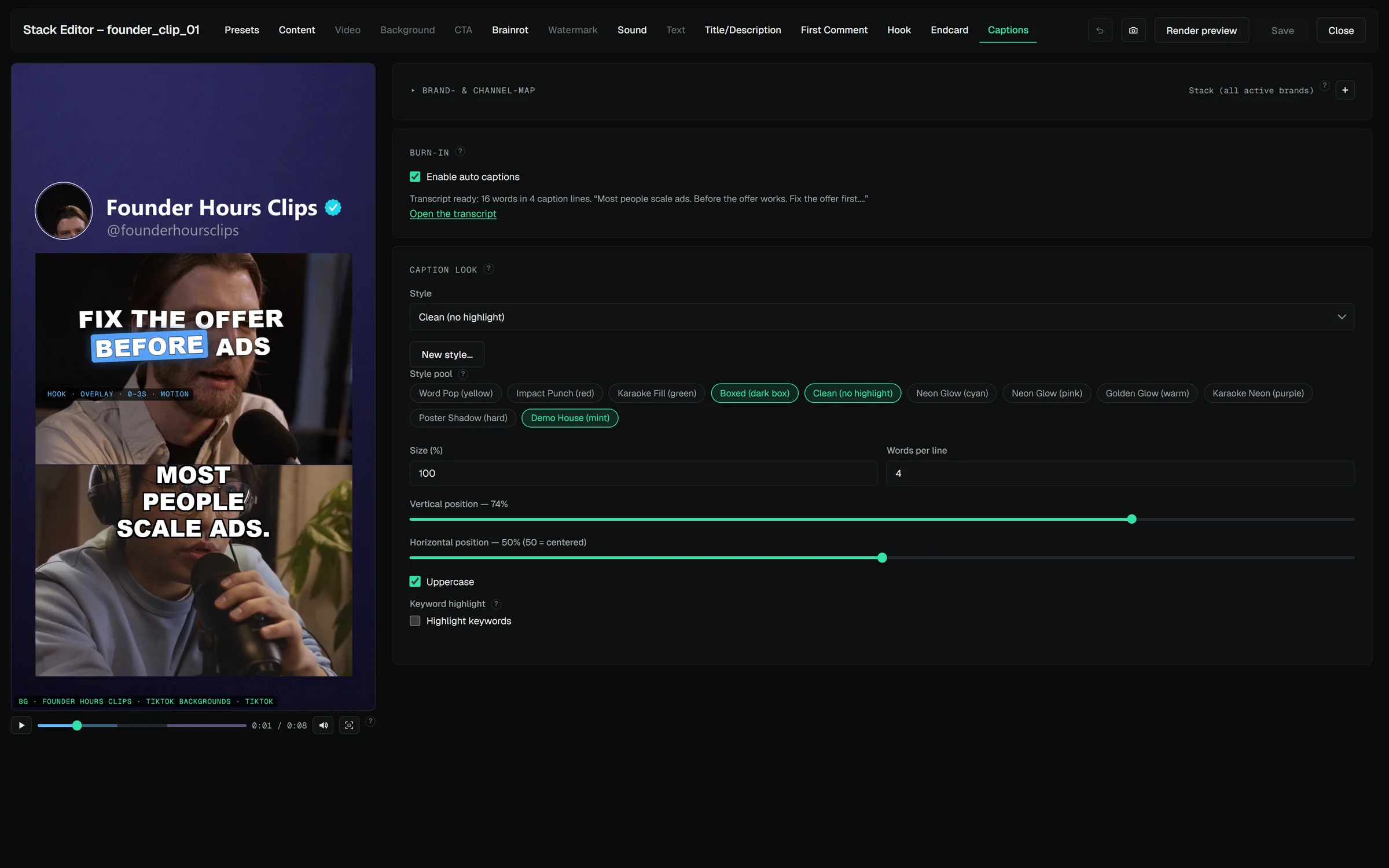
Auto captions — free, local, word-timed. The speech model ships with the app and runs on your machine (no API cost, nothing uploaded). Karaoke-style captions burn in at render time: pick a styled preset or build your own — colors, glow, highlight mode, size, position — per brand if you want. Content words can stay highlighted in the brand's accent.
Editable transcript & translations. Fix a word, retime nothing — the timing stays. Brands with a different content language get the captions translated automatically, line by line, keeping the original timing.
Silence cut, ducking & loudness. Trim spoken pauses into jump cuts straight from the transcript; let the music bed dip under speech automatically; normalize the finished mix to the level the platforms play at (−14 LUFS by default).
The hook widget. Rotating opener lines for the first seconds — as styled text over the video, as a blurred pre-roll, or as a card. Twelve animated motion-title looks, optional AI voiceover that speaks the hook.
The endcard. The hook's mirror at the end: your CTA card before the outro, with its own rotating lines.
Text, carousel & story posts. Not everything is a video: text posts (with images), image carousels and stories are first-class stack types with the same texts, scheduling and history.
AI-assisted copy. Titles, descriptions, first comments, hook and endcard lines generated from your briefing — or from the clip itself: clip analysis watches key frames (and listens, where the provider supports audio) and writes a brief the generators use. Bring your own key: Gemini, Claude, OpenAI or any OpenAI-compatible endpoint, one remembered key per provider.
Layout zones & safe zones. Declare where the video, texts, captions and overlays belong; new footage is fitted in automatically. Platform safe-zone guides show what each app's UI will cover.
Render preview. One variant through the real pipeline, at reduced resolution — the pixel-exact check before the full render, and where you pick the cover frame.
One click, every variant
Rendering is where VidVertex multiplies: every brand × platform combination gets its own file, built by ffmpeg on your hardware.
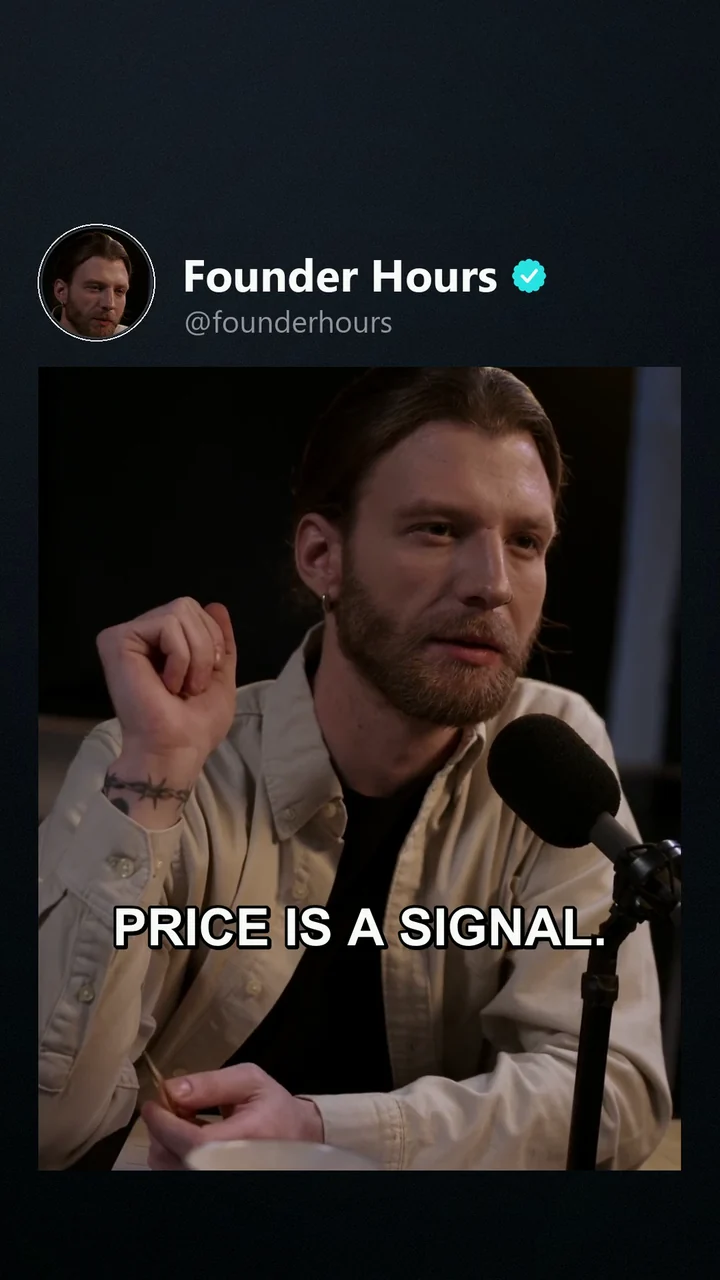
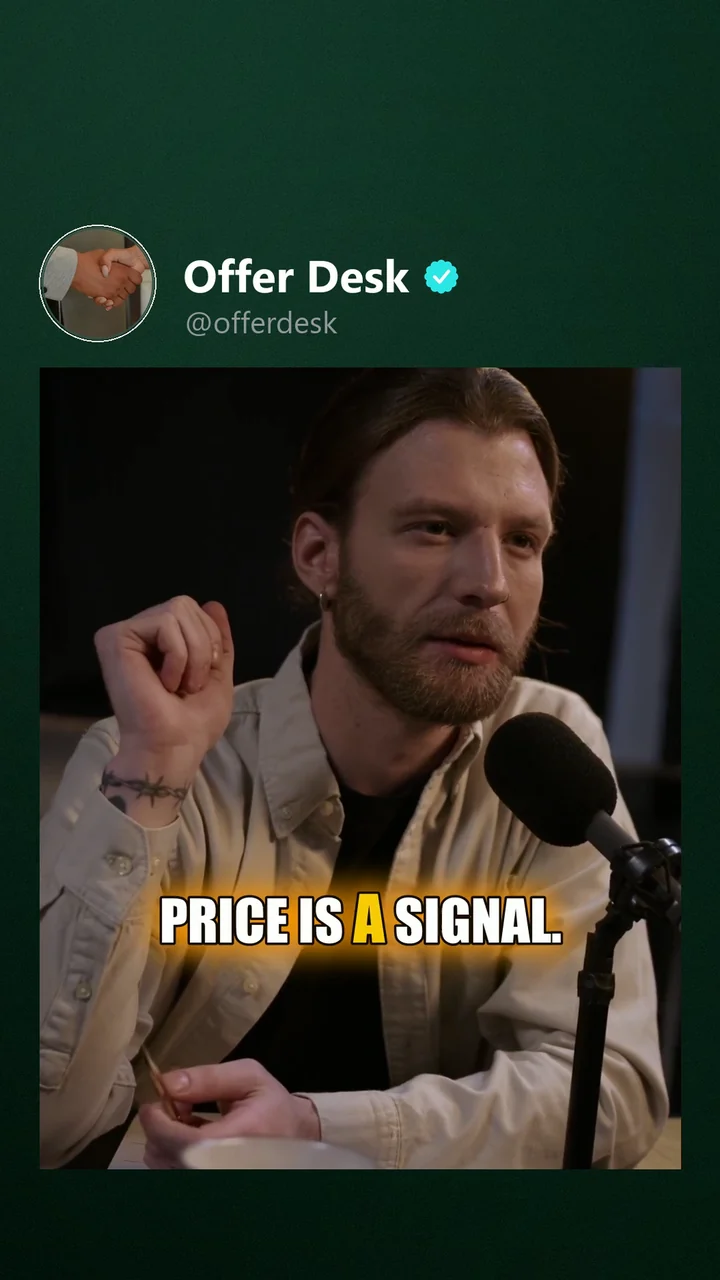
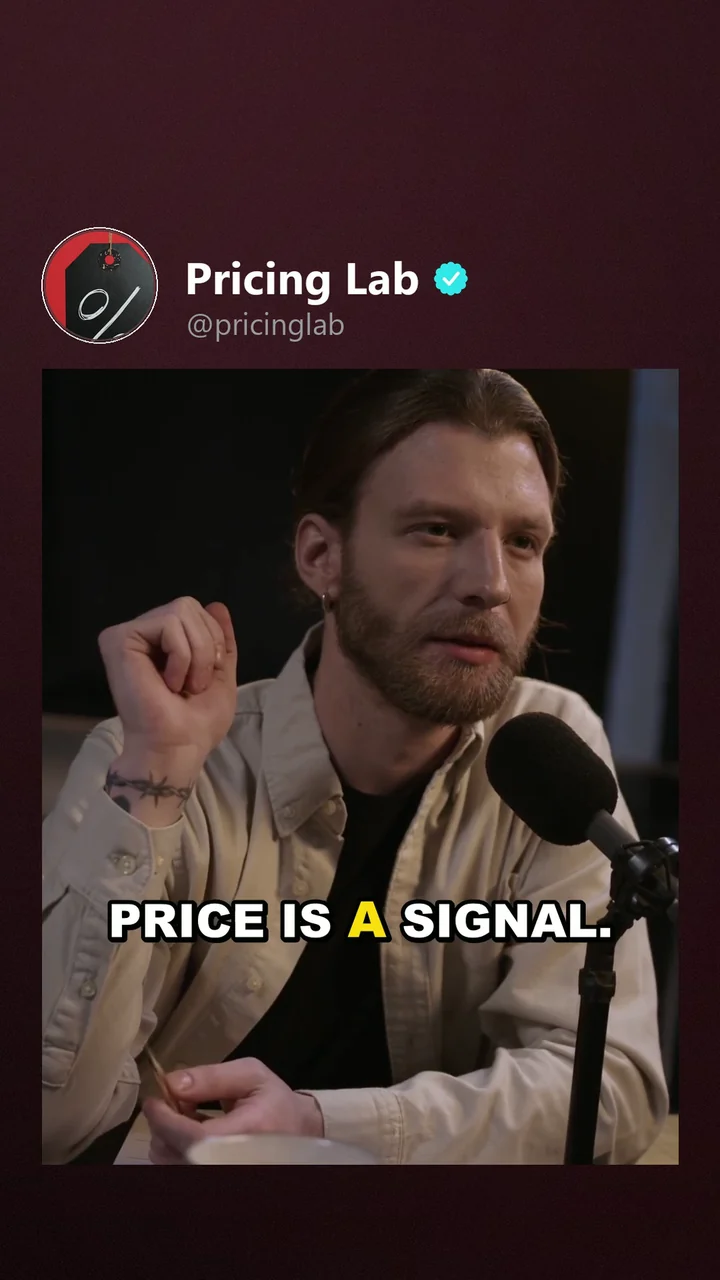
Brand × platform variants. Each output carries that brand's logo, assets, hashtags, caption style and language — automatically.
The asset library. Backgrounds, sounds, CTA and filler clips, outros, hashtags live in named pools — build one once, point any number of brands at it, tag a pool for specific platforms, or just point it at a folder and let new downloads count automatically. The renderer rotates through pools per variant so nothing looks cloned.
Output templates. Resolution, fps, codec and quality as reusable presets; GPU encoding (NVENC) when your card supports it, clean CPU fallback when not — and the settings tell you which one is active.
The randomizer. Every rendered file gets subtle variations — crop, color, fps, noise, metadata, filename, optional audio tweaks — so no two uploads are technically identical files. Every tweak is an individual toggle.
Batch queue that survives everything. Queue any number of stacks; progress, logs and cancel in the hub. An interrupted render resumes with exactly the variants it still needs; a failed variant is named, not hidden.
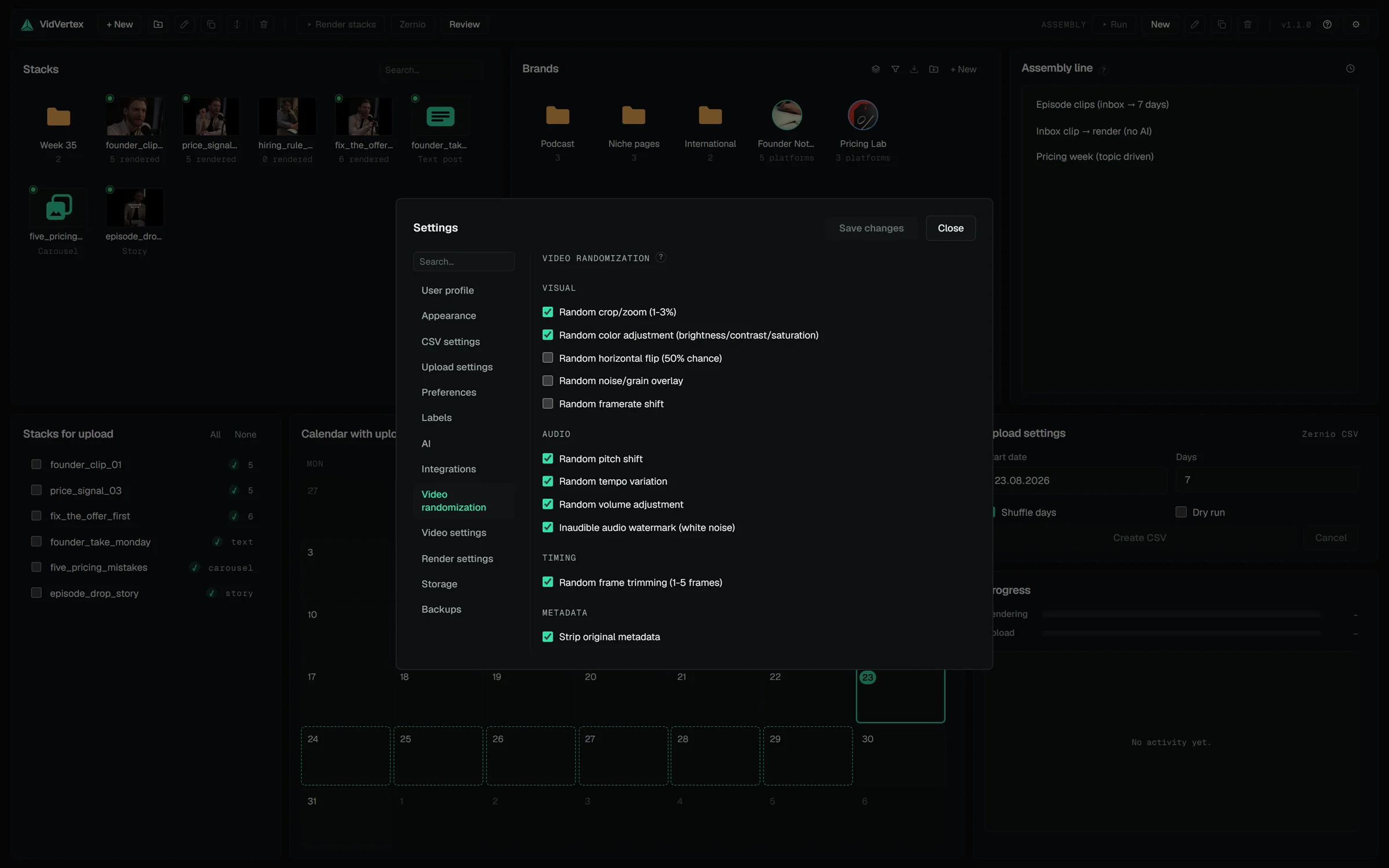
Every tweak is a toggle.
Scheduling that thinks in weeks
Rendered files are only half the job. VidVertex assigns them to brand × platform slots, schedules them, and pushes them out.
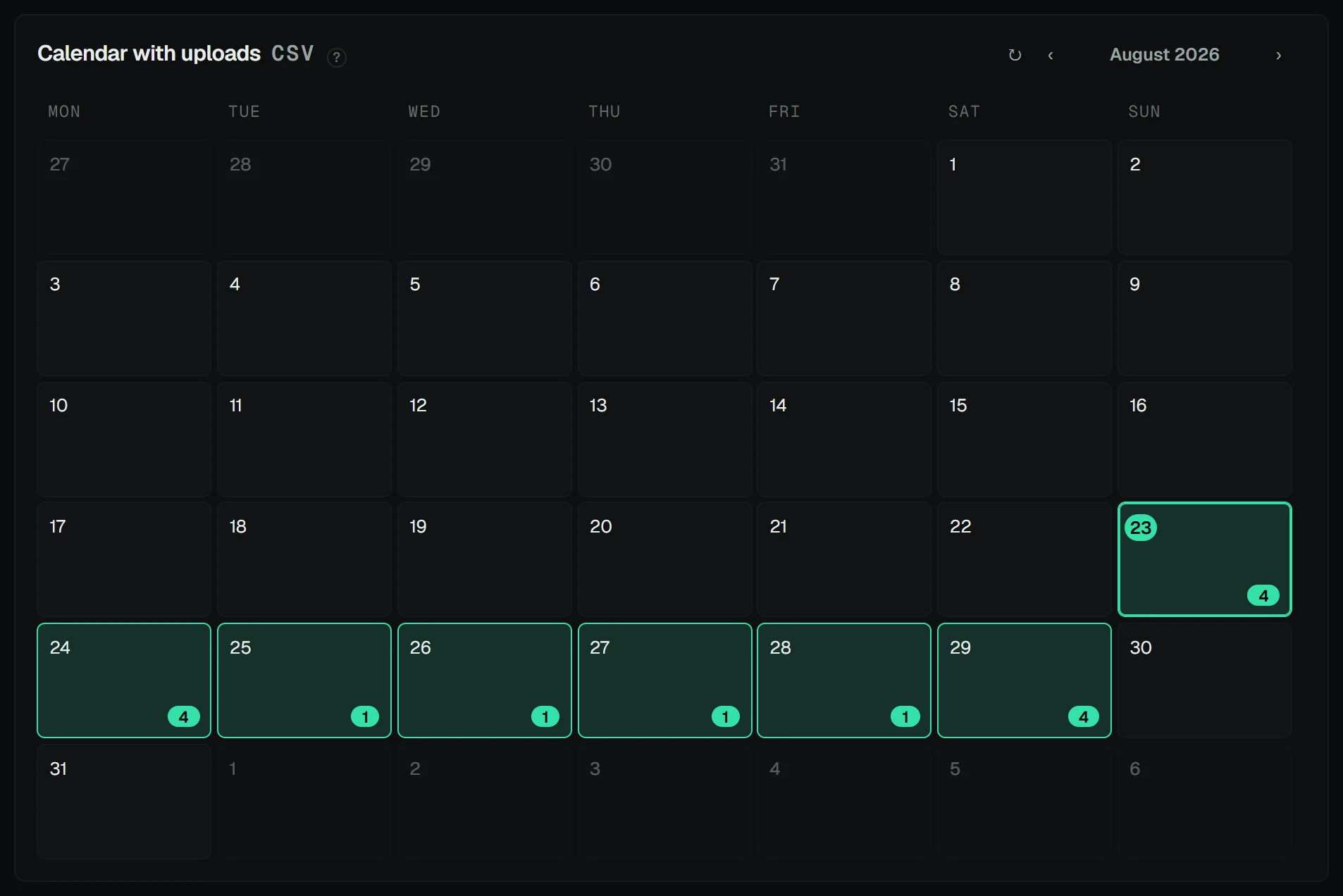
9 platforms. TikTok, Instagram Reels, YouTube Shorts, Facebook, X, Snapchat, Pinterest, Threads, Bluesky. Snapchat Spotlight via Zernio (needs a Snapchat Public Profile); not available through Metricool.
Direct posting via Zernio or Metricool. Paste one API key and the upload plan schedules every post itself — one post per day per brand and platform, at the brand's own posting time if you set one. Bigger batch than window? Each brand gets its own subset, so your brands don't all post the same clip the same day.
Four upload modes. Zernio API and Metricool API post directly; Zernio CSV and Metricool (Drive + CSV) write an import file with a safe-to-open Excel twin beside it. Metricool API needs a Metricool plan with API access; both Metricool modes move media over your own Google Drive, and the API mode deletes its Drive copy again as soon as Metricool has re-hosted the file.
Posting times that fit the brand. Several daily times per brand, a delay that staggers same-day posts across platforms, and custom rules that pin an exact time per platform or per post type. Snapchat goes out as Spotlight, Facebook video as a Reel — the content type each platform actually ranks.
The calendar. Every scheduled and published post in one month view, live from your account, per brand and platform — and it's the date picker.
Pre-flight checks. Duplicate warnings, platform limit checks, post-type skips and past-time warnings before anything goes out — warnings, not blocks. Failed uploads get a one-click retry.
Upload history. Every attempt logged per stack: file, brand, platform, time, result — and a whole import CSV can be rebuilt from it later, so uploads spread over several runs still land in one importable file.
The assembly line — and an assistant that runs it
When the workflow is dialed in, stop doing it by hand: an assembly-line preset runs the whole pipeline — footage in, scheduled posts out — on a daily schedule if you like. And if you'd rather describe the outcome than click it, connect Claude.
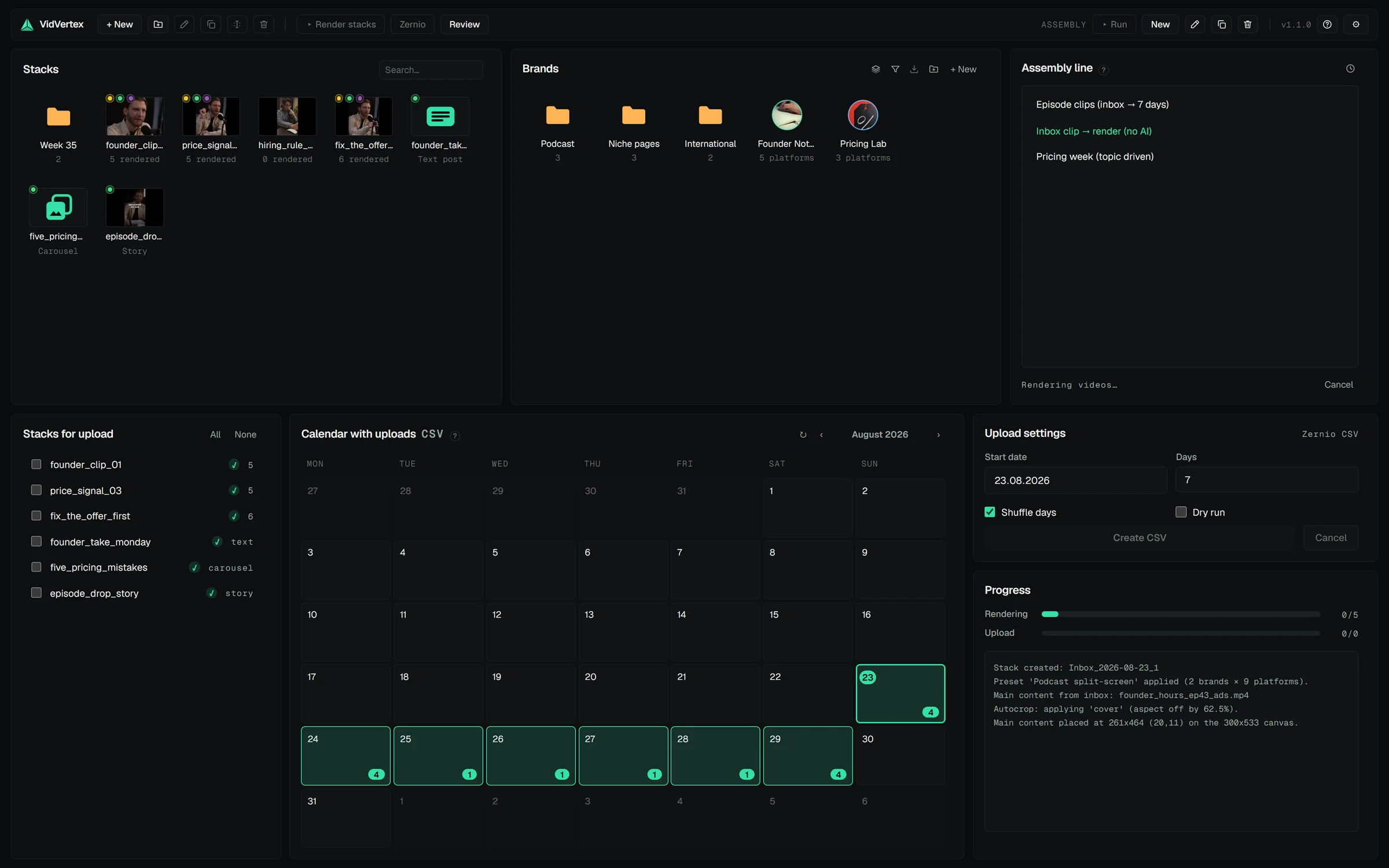
Presets end to end. New main content (from a folder you choose), AI texts, captions, render, schedule — one saved preset, one Run button, or a daily time while the app is open.
The inbox. A watched folder the free VidVertex Downloader (or any tool) drops files into; the assembly line always picks the newest unused clip.
Auto-fit. New footage is fitted into your layout zones — cover, contain, or AI-reframed toward the subject.
Guardrails & review. Unattended runs never post without approval: posts are proposed into a review queue in the app, you approve the ones you want, per-account rate limits hold regardless.
Connect Claude. VidVertex ships an MCP server: Claude Desktop, Cowork, Claude Code or Codex can set up brands, build stacks, write texts, render, look at the result and schedule — under the same guardrails, with a live strip in the app showing what the assistant is doing.
Brand identity in every text. Niche, audience and tone per brand feed every AI generator, so ten brands don't write like one.
And the practical stuff
Runs on Windows 10/11, installer includes everything (ffmpeg, the caption engine with its speech model, WebView2 bootstrap)
Updates install from inside the app, in place — data and license untouched
Your data stays on your machine — stacks, brands and footage are local files in a folder you can move; rotating config backups included
AI features are bring-your-own-key and optional; captions never need a key
One license = 2 devices, offline grace period included
Settings → Storage shows what the app is using: caches, every stack's rendered files, and the app's own Google Drive uploads with what a scheduled post still needs and what is safe to delete
Headless CLI and watch folder for scripted workflows; light and dark theme
Ready to multiply your output?
VidVertex runs on your Windows machine — your content, your accounts, no per-post fees. One subscription covers every brand, platform and language you run.