You cut the clips. VidVertex handles everything after.
Clipping is a real business: podcasters, streamers and personal brands pay for someone to turn their long-form into daily shorts. The cutting is the skill. The formatting, branding, captioning and uploading is the grind — and it's what caps how many clients you can take.
Who this is for
Freelance clippers and editors delivering short-form output from someone else's long-form content — for paying clients, for clip channels you run yourself, or both.
The problem
Every client wants their own look: logo, colors, caption style, CTA.
Every platform wants its own variant and its own copy.
Five clients × five clips a week × four platforms is 100 deliverables. Editing them individually caps your roster at whatever your late nights can handle.
How VidVertex solves it
Each client is a brand: their logo/watermark, asset pools, caption style and hashtag sets — set up once, applied on every render automatically.
Stack once, render for everyone: drop the cut clip in, pick clients and platforms, and one batch produces every branded variant.
Captions at scale: local Whisper transcription (free, on your machine) with word-timed karaoke styling per brand — plus AI-generated titles, descriptions and first comments per platform when you need 100 captions, not 5.
Delivery your client's way: schedule posts directly via Zernio or Metricool, or export an import-ready CSV for either.
Nothing goes out embarrassing: duplicate warnings and per-platform limit checks run before every upload, and the upload history logs exactly which file went to which account when.
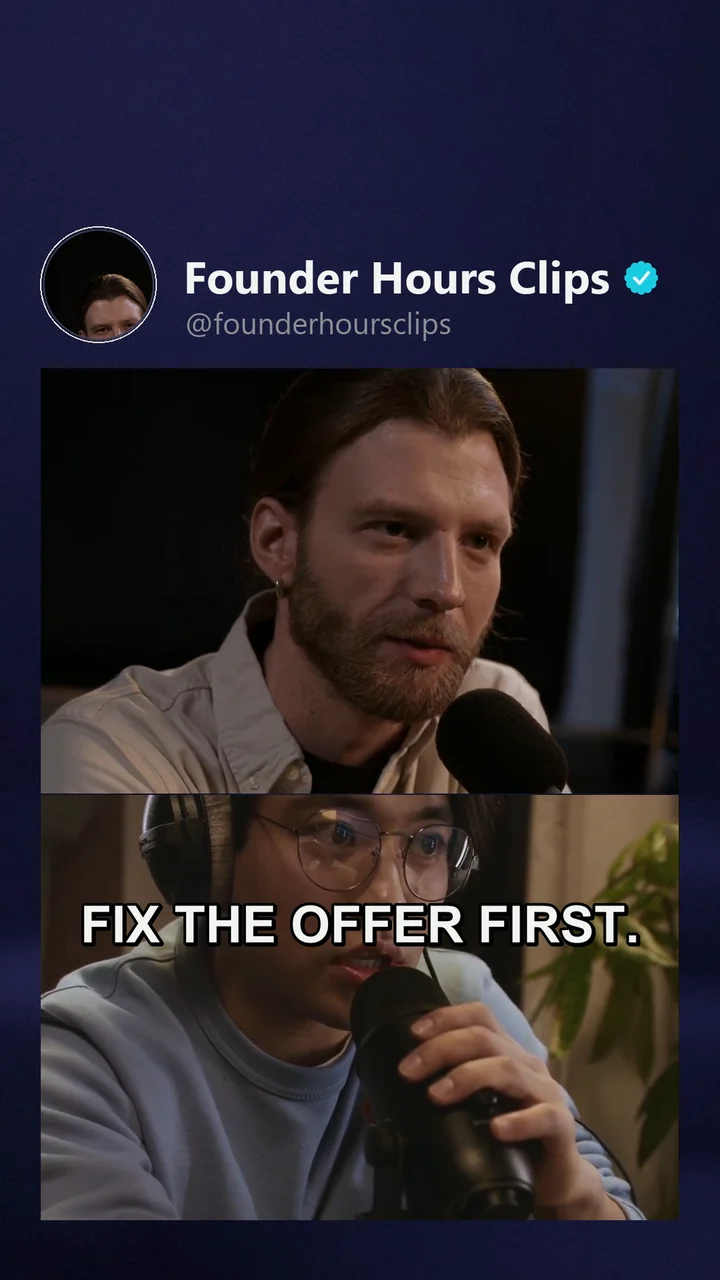
One cut, rendered for the client's page: their header, their caption style, the split-screen look — one of the variants a single stack produces.
How you make money with it
Clipping income is a function of how many clients you can serve well at once:
Monthly retainers — the standard model: a fixed fee for N clips per week, cut, branded, captioned and posted. VidVertex collapses everything after the cut to minutes per batch, so each retainer costs you far fewer hours.
Per-clip pricing with a distribution upsell — charge for editing, then sell "posted everywhere, on schedule, in your branding" on top. That upsell is nearly pure margin when the tool does the distribution.
Performance deals — clippers earning per view milestone benefit directly from multi-platform spread: more surfaces where a clip can pop.
Your own clip channels — the same pipeline that serves clients runs your own theme pages in the gaps, and those earn independently.
Your pitch gets stronger too: "every clip goes out on nine platforms, on schedule, in your branding" beats "here's a folder of files".
A typical client week
Client sends the episode. You cut the highlights — the part you're good at.
Load each clip into a stack; the client's branding applies itself.
Generate platform copy, review once.
Batch-render, schedule the week, send the client a screenshot of their filled calendar. Invoice.
Ready to multiply your output?
VidVertex runs on your Windows machine — your content, your accounts, no per-post fees. One subscription covers every brand, platform and language you run.