VidVertex vs OpusClip
OpusClip takes a long recording — podcast, stream, talking head — and finds and cuts the clips, metered by the minute of source video. VidVertex starts where OpusClip stops: one clip becomes a separate video per brand and platform, each with its own captions, hook, overlays and branding, for a flat monthly fee. Many operators need both, in that order.
At a glance
| OpusClip | VidVertex | |
|---|---|---|
| Category | Long-form → clips (AI clipping) | One clip → many branded renders |
| What it produces | Clips cut from long video, captioned, reframed | A separate rendered video per brand × platform × language |
| Pricing model | Credits per minute of source video | Flat subscription |
| Price | Free (60 credits/mo, watermark) · Starter $15/mo (150 credits) · Pro $29/mo (3,600 credits a year, billed yearly at $14.50/mo) | €49/mo |
| Metering | 1 credit = 1 source minute; credits expire | None — your hardware renders |
| Runs | Browser (cloud processing) | Windows desktop, locally |
| Scheduling | On Pro | Through the Zernio or Metricool API, or a CSV import |
| Brand variants of one clip | No — one clip is one file | Yes — the core feature |
 Click to enlarge
What OpusClip does better
- Finding the moments. Its AI watches an hour of video and proposes the clips, scored. VidVertex does nothing of the sort — it expects you to bring the clip.
- Cutting and reframing long video. Speaker tracking, punch-ins, B-roll on Pro. VidVertex's auto-fit places a clip; it doesn't edit one.
- Starting free. Sixty source minutes a month, watermarked.
- No install. Upload, wait, download, from any machine.
What VidVertex does that OpusClip doesn't
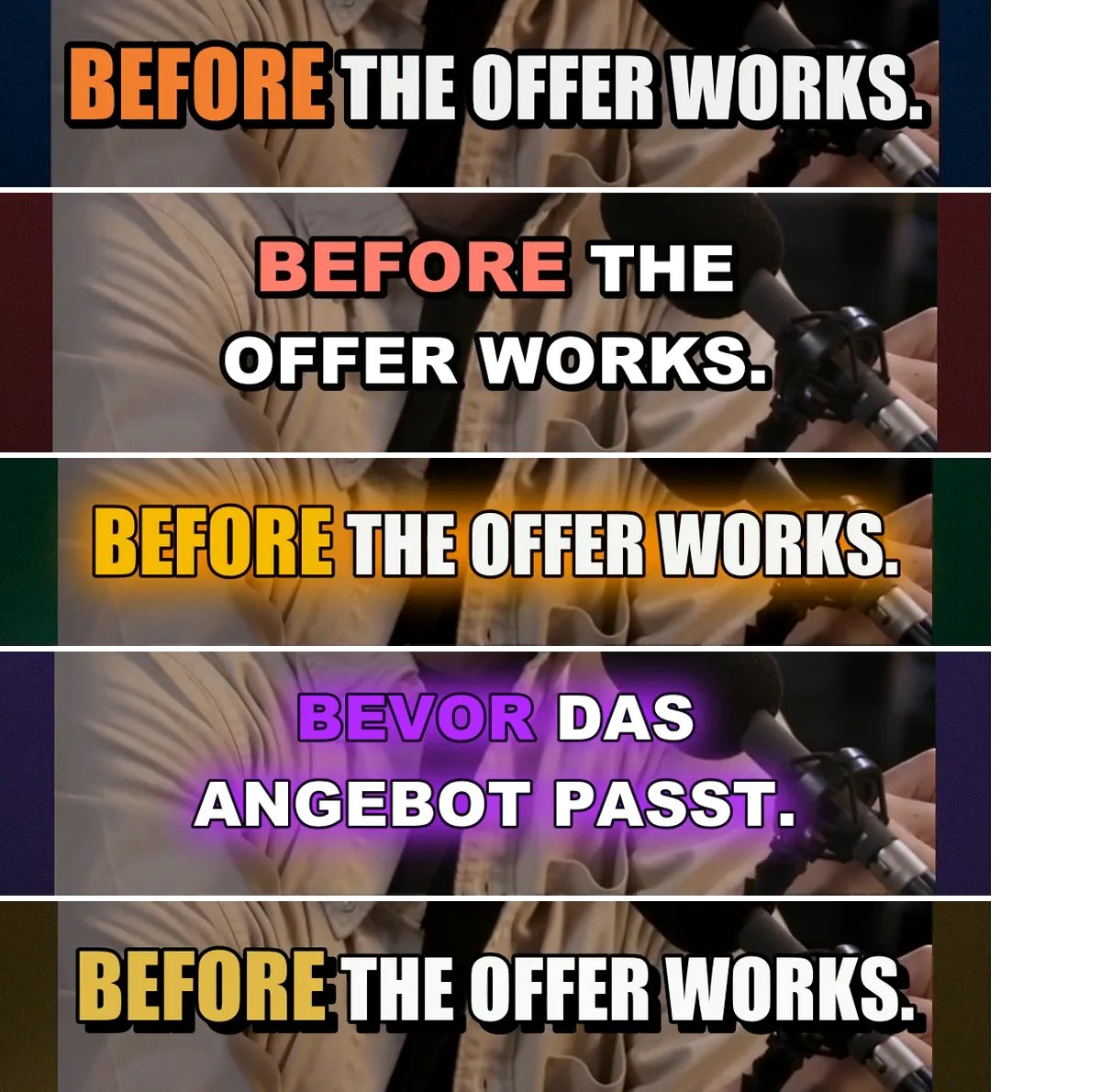
- Multiplies one clip. A render per brand × platform × language, each with its own caption style, hook, endcard, overlays, background and logo. In OpusClip one clip stays one file.
- Technically distinct outputs. The randomizer varies every render, so ten accounts don't post a byte-identical file.
- Unmetered production. No credits, no source minutes — rendering runs on your GPU/CPU. Fifty renders of one clip cost nothing extra.
- Local footage. Nothing is uploaded to be processed; files leave the machine only when a post goes out.
- Scheduling across nine platforms including Snapchat, Threads and Bluesky, with per-brand posting times.
Use them together
The clipper-and-multiplier stack — the exact workflow of the clippers use case:
- OpusClip cuts this week's episode into clips.
- The clips land in the VidVertex inbox (drop the files in, or let the free Downloader fetch them).
- VidVertex renders each clip for every client brand and platform and schedules the week.
OpusClip's own captions and VidVertex's captions overlap. Render in VidVertex from the uncaptioned cut when you want the brand's caption style rather than OpusClip's.
Pricing, side by side
| OpusClip | VidVertex | |
|---|---|---|
| Free | 60 credits a month, watermarked, exports expire after 3 days | — (subscription; the free Downloader has no time limit) |
| Entry | Starter $15/mo (monthly only) — 150 credits, editor, no scheduler | €49/month, everything included |
| Mid | Pro $29/mo, or $14.50/mo billed yearly with 3,600 credits up front — scheduler, B-roll, brand templates | — |
| Metering | Credits expire (60 days monthly / 12 months yearly) | No metering |
| Annual | Yearly discount on Pro | €39/mo billed yearly |
The two bills don't measure the same thing: OpusClip charges for minutes of input, VidVertex charges nothing for the amount of output.
FAQ
Is VidVertex an OpusClip alternative?
Not for clipping long video — VidVertex doesn't find or cut moments. It's the next step: turning a finished clip into branded versions for every account.
Can VidVertex caption clips?
Yes — word-timed karaoke captions from a free local transcription, styled per brand, translated per language. Same category of feature, different purpose: OpusClip captions one clip, VidVertex captions every brand's version of it.
Do I need both?
If your source is long video and you run more than one account: usually yes. Solo creators with one account and long source material: OpusClip alone. Operators with short clips and many accounts: VidVertex alone.
Which is cheaper?
Different meters. OpusClip grows with source minutes; VidVertex stays flat however many renders you make.