Finding content with an AI assistant in your browser
The slowest part of content research isn't judging material — it's the scrolling, collecting and organizing around it. That part, an AI assistant with browser access does better than you.
Research is the unglamorous first stage of every content operation (the full pipeline): what's working in the niche right now, which formats are rising, where's usable source material, what are competitors doing. Done by hand it's hours of scrolling that ends in twenty browser tabs and no notes.
AI assistants that can drive a browser — Claude in Chrome, Claude's Cowork mode and similar agent setups — change the shape of that work: you describe what you're looking for, the assistant browses, collects and structures, you judge the shortlist. You stay the taste; it becomes the legwork.
Ask for a table, not prose. A structured answer is something you can scan, argue with and hand to the next step; a paragraph is something you have to read twice.
What browser-AI research is actually good at
- Niche scans: "Look at what mid-sized accounts in [niche] posted this week; list recurring formats, hook patterns and topics with links." The assistant reads pages and returns structure — the survey that took an afternoon becomes a briefing you critique (niche validation).
- Source-material hunting: "Find [type of footage/topic] material and collect the links into a list" — the output being a plain link list matters, because a link list is machine-readable input for the next pipeline stage (a batch downloader takes it as-is; see below).
- Competitor teardowns: posting frequency, format mix, which of their videos overperformed their baseline — assembled into a comparison you'd never have typed up yourself.
- Long-form scanning for clip candidates: pointing the assistant at a podcast episode or stream VOD page and asking for the quotable moments with timestamps — a first-pass clip list to verify, not obey (repurposing workflow).
- Hook mining: "Collect the literal first lines of the top posts in this format" — raw material for your own hook pools, rewritten in your voice.
A concrete session, start to finish
- Brief the assistant like a researcher, not a genie. Bad: "find viral content." Good: "Motivation-quote niche, German-language pages, last 30 days: 15 posts that clearly outperformed their account's normal range. Table: link, hook line, format, why it might have worked."
- Let it browse, then interrogate the result. Push back — "which of these are repeatable formats vs. one-off virality?" The second answer is usually the valuable one.
- End every session with two artifacts: a decisions note (what to try next batch) and a link list (source material to fetch). Ask the assistant to write both — that's the part humans skip when tired.
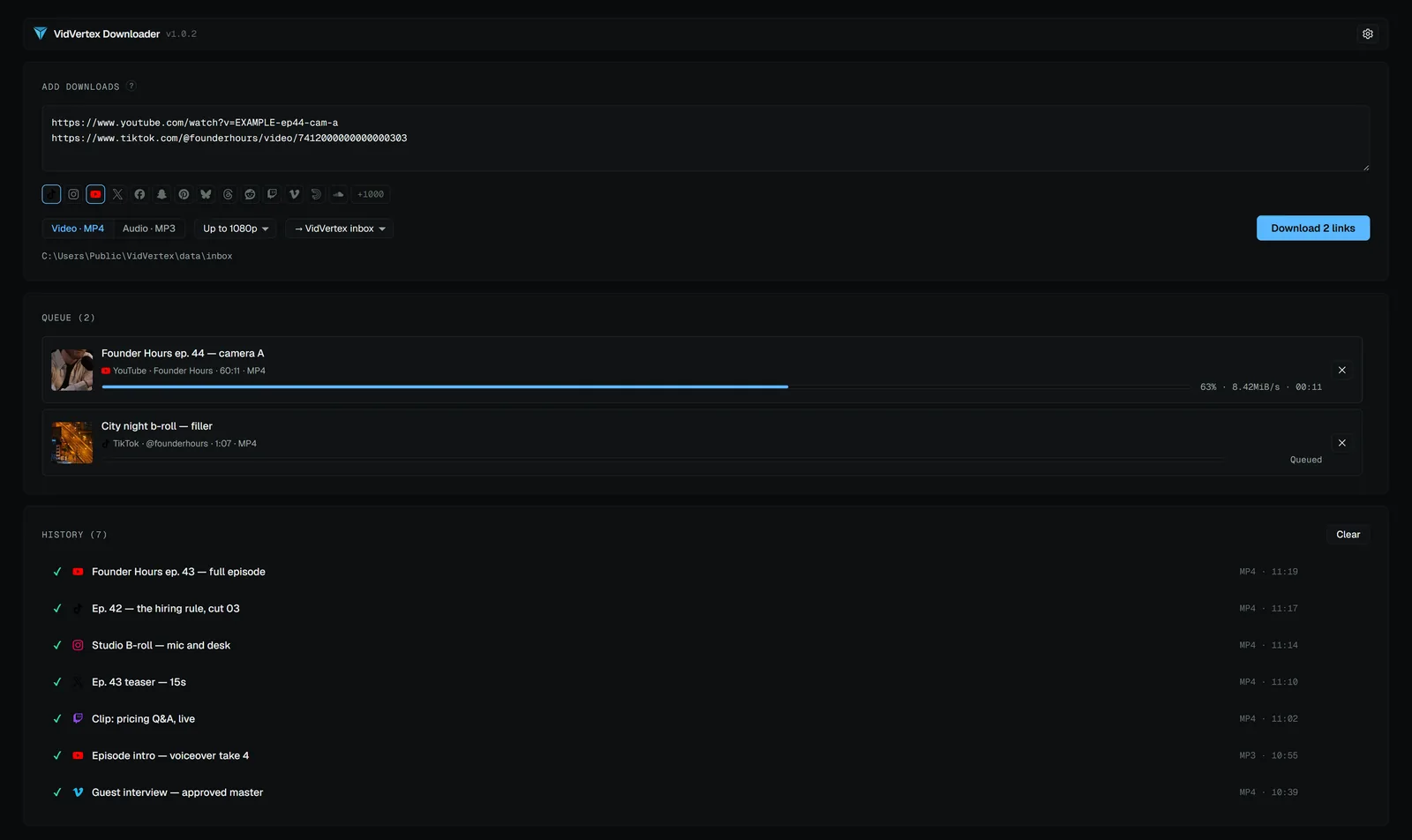
- Feed the link list into your fetch step. With VidVertex that's literally paste-and-go: the free Downloader takes the list (one link per line), pulls everything into the inbox, and the assembly line picks files up from there.
Honest limits
The mental model is that the assistant replaces the intern-hours of research, not the operator judgment. Used that way, weekly research shrinks from an afternoon to a coffee's length — and actually happens every week.
- AI can't feel a feed. It reads pages and patterns; it doesn't experience the scroll. Its shortlists are hypotheses — your retention data is the judge (analytics loop).
- Numbers need checking. View counts and claims an assistant reads off pages can be stale or misread — verify anything you'd bet a batch on.
- Login walls exist. Feeds behind accounts limit what an assistant can see; research works best on public surfaces.
- Rights don't change. A link list is research, not a license — what you republish still follows the usual rules (sourcing, platform rules).