How to use the Metricool API: auth, scheduling posts, and the traps
Metricool has a real, working API for scheduling posts — and almost no documentation for it: one PDF and a help article that says to read IDs out of your browser's URL. We wired a desktop app to it, so here is the missing manual: the auth model, the scheduler payload that actually works, the media rule nobody tells you about, and the error that cost us two days.
Everything below was learned by building against the live API, not by paraphrasing the PDF. Where the official doc is silent, we say so — those parts are field-verified behavior, re-checked in September 2026 against posts that really published, and the usual caveat applies: undocumented behavior can change without notice.
Before you start: the plan and the three values
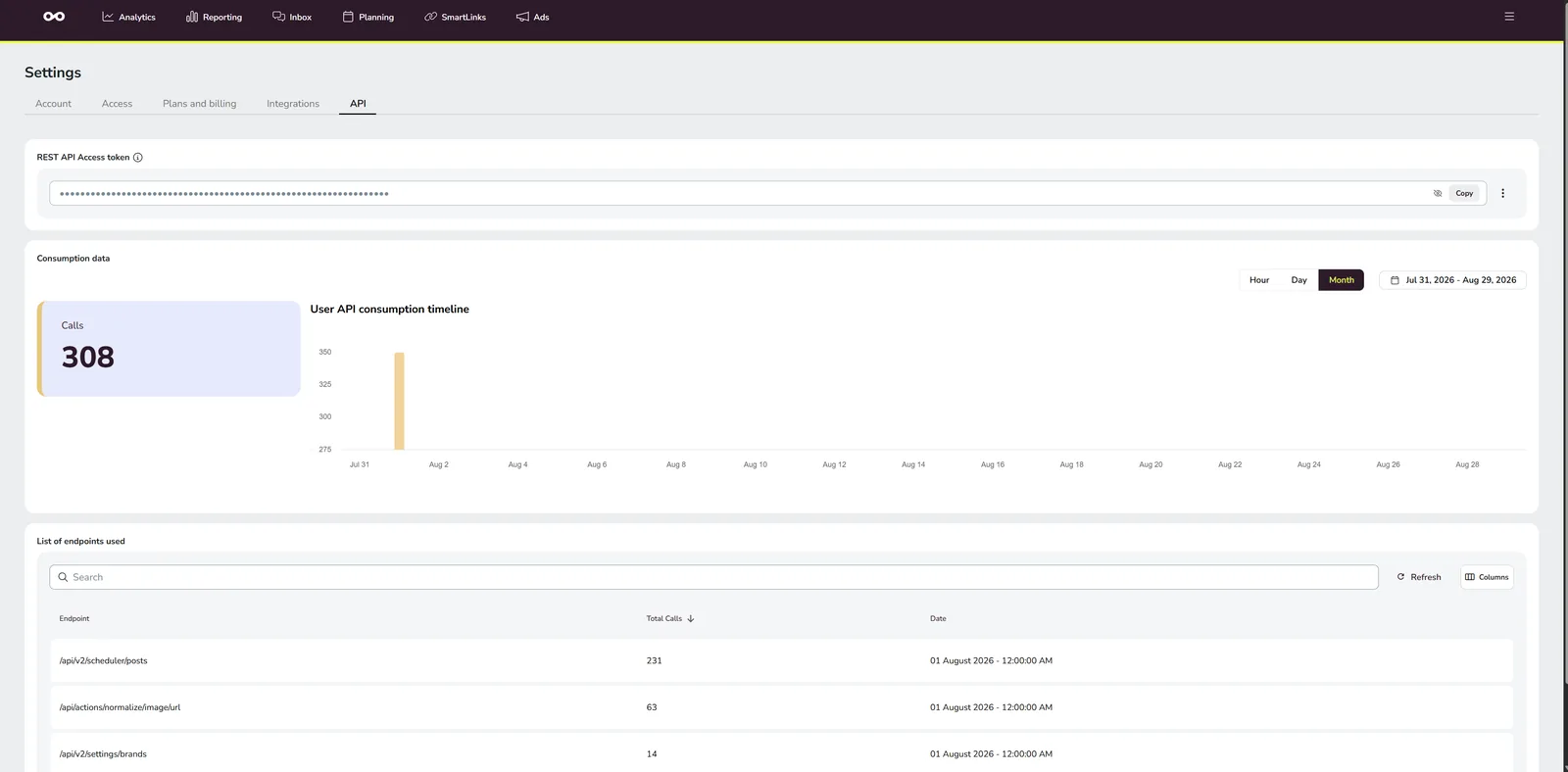
The API is a feature of Metricool's Advanced and Custom plans (no extra charge there — but on lower plans the token page simply doesn't exist). Every call uses up to three values:
| Value | Scope | Where it rides |
|---|---|---|
| API token | One per account | The X-Mc-Auth header |
| User ID | One per account | A userId query parameter, on every call |
| Blog ID | One per brand — a "brand" is a blog in API terms | A blogId query parameter, on brand-level calls |
If you don't have them yet: how to find your Metricool user ID, blog ID and API token.
The auth model
One header, one query parameter:
GET https://app.metricool.com/api/v2/settings/brands?userId=YOUR_USER_ID
X-Mc-Auth: YOUR_TOKEN
That's it — the token goes in the X-Mc-Auth header, userId rides as a
query parameter on every call, and anything brand-level adds a
blogId parameter next to it. The base URL is
https://app.metricool.com/api.
That call is also the sanity check worth running first: it returns every brand on the account with its blog ID, display name and timezone.
Which networks a brand actually has lives in a networksData object on
each brand entry — one key per connected network, the value being the
connected account's name:
"networksData": { "instagramData": "founderhours", "tiktokData": "founderhours" }
Guessing <network>Id keys matches nothing and makes every
brand look network-less. Scheduling to a network the brand lacks is
accepted, then fails at publish time.
Scheduling a post
The endpoint:
POST https://app.metricool.com/api/v2/scheduler/posts?blogId=BLOG_ID&userId=USER_ID
Content-Type: application/json
X-Mc-Auth: YOUR_TOKEN
One JSON object per post — a vertical video going to Instagram as a Reel:
{
  "providers": [{ "network": "instagram" }],
  "publicationDate": {
    "dateTime": "2026-09-01T18:30:00",
    "timezone": "Europe/Madrid"
  },
  "text": "Your caption goes here #withhashtags",
  "media": ["https://…/your-video.mp4"],
  "mediaAltText": [],
  "autoPublish": true,
  "draft": false,
  "firstCommentText": "First comment, posted right after.",
  "descendants": [],
  "hasNotReadNotes": false,
  "shortener": false,
  "smartLinkData": { "ids": [] },
  "instagramData": {
    "autoPublish": true,
    "type": "REEL",
    "showReelOnFeed": true,
    "tags": []
  }
}
dateTime is planner-local wall-clock time — no UTC offset, no
Z; the timezone field next to it names the zone it is local to. Compute
times in UTC and paste them in, and your posts land at the wrong hour. And
don't schedule in the past: Metricool rejects past-dated posts outright,
where other schedulers quietly publish them immediately.
The rest of what the PDF won't tell you:
firstCommentTextis a top-level field, and it only applies to the networks Metricool supports first comments on: Instagram, Facebook, LinkedIn, YouTube and TikTok. Sent to anything else it is ignored.- The tail of housekeeping fields (
descendants,hasNotReadNotes,shortener,smartLinkData) is what Metricool's own planner UI sends. Include them empty rather than omitting them — you want your request to look like one the backend already knows. - Carousels are just multiple URLs in
mediawithinstagramData.typeset toPOST; stories aretype: "STORY".
The per-network blocks
Each network in providers wants its own data block. The ones we've
verified:
| Network | Block | The fields that matter |
|---|---|---|
instagramData |
type: REEL / POST / STORY, showReelOnFeed |
|
facebookData |
type: REEL / STORY (Reels take their own title) |
|
| YouTube | youtubeData |
title, type: "SHORT", privacy, category, madeForKids |
| TikTok | tiktokData |
privacyOption: "PUBLIC_TO_EVERYONE", autoAddMusic, disableComment / Duet / Stitch |
pinterestData |
boardId (required in practice), pinTitle, pinLink |
|
| X (Twitter) | twitterData |
tags |
| Bluesky | blueskyData |
postLanguages |
| Threads | threadsData |
allowedCountryCodes |
Two things from live use. YouTube wants a category — an enum
like PEOPLE_BLOGS, GAMING or ENTERTAINMENT, the same list Metricool's
bulk CSV template uses; posts without one tend to get dropped rather than
rejected. And there is no Snapchat network anywhere in the API:
Metricool simply doesn't have one.
The media rule: URLs only, and the normalize endpoint
There is no upload endpoint. The scheduler takes media only as public URLs — and URLs that aren't on Metricool's own hosts should be pushed through the normalize endpoint first, which downloads the file server-side and re-hosts it on Metricool infrastructure:
GET https://app.metricool.com/api/actions/normalize/image/url
    ?url=PUBLIC_MEDIA_URL&folder=PLANNER&userId=YOUR_USER_ID
X-Mc-Auth: YOUR_TOKEN
Accept: */*
Three surprises packed into one endpoint:
- It takes videos. Ignore the
/image/in the path — it re-hosts video files just fine. - The response is plain text, not JSON: the body is the re-hosted
URL. Check that it starts with
httpand use it as themediaentry.TIPIt is slow by design — the server downloads your file before it answers, so a rendered video behind a Google Drive share link legitimately takes a while. Give this one call a much longer read timeout than the rest of your client (we allow 300 seconds).
This is what makes a Google Drive public share link usable: normalize it, schedule the Metricool-hosted URL it returns — never the raw Drive link. And because Metricool now holds its own copy, the file on your Drive is dead weight the moment normalize answers.
Pictures must be JPEG or WebP
Videos are relaxed about format; pictures are not. A PNG comes back as:
The 'image/png' type is not allowed, use 'image/jpeg' or 'image/webp' instead
Instagram happened to swallow PNG carousels for a while; TikTok carousels did not, and a batch of them landed on ERROR without a word in the planner.
If your renderer writes PNG — most do, for the alpha — convert a JPEG twin before the upload, and flatten transparency onto white rather than onto the default black.
The error that cost us two days
If your HTTP client defaults to Accept: application/json — which every
sensible API client does — the normalize endpoint answers:
{
  "status": "INTERNAL_SERVER_ERROR",
  "code": "500",
  "title": "InternalError",
  "detail": "No acceptable representation"
}
That's not a server outage and not your file: it's Spring content
negotiation. The endpoint can only produce plain text, your header only
accepts JSON, and the mismatch surfaces as HTTP 500 instead of the 406
that would have pointed at the header. Same call, same file — only the
Accept header decides between 500 and 200.
Send Accept: */* on the normalize call — and log every failed
request's URL and response body from day one. Metricool's error bodies are
terse, and without logs this one looks exactly like a broken video file.
Reading the calendar back
GET https://app.metricool.com/api/v2/scheduler/posts
    ?blogId=BLOG_ID&userId=USER_ID
    &start=2026-09-01T00:00:00&end=2026-09-30T23:59:59
    &timezone=UTC&extendedRange=false
This lists the brand's posts in the window — scheduled ones and past ones
alike. The status is not on the post: it sits on each entry of the post's
providers array as PENDING, PUBLISHING, PUBLISHED or ERROR, with a
detailedStatus string next to it.
Read that array, or every post in your calendar reads
"scheduled" forever — including the failed ones. An ERROR entry that
still carries a publicUrl is the third case: the post went live, but
something on it (a first comment, usually) did not.
Returned publicationDate.dateTime values are planner-local, same as when
you sent them — no conversion on the way back either.
Retry rules that won't double-post
Worth stating because the failure modes differ per endpoint:
Reads and normalize are safe to retry — on network errors and on transient statuses (408, 429, 5xx), with a short backoff.
The scheduling POST is not idempotent. Retry it only when the connection failed outright and the request provably never reached the server — a blind retry on a timeout can double-post.
Where VidVertex fits
This page is what VidVertex's Metricool API upload mode does per rendered variant — live since September 2026, next to the older Metricool (Drive + CSV) mode that writes an import file instead (upload modes). Paste token and user ID once in Settings → Upload settings; the brand editor lists your brands over this very endpoint, so each one picks its blog ID from a list, and pre-flight warns when a brand's channel isn't among that blog's connected networks.
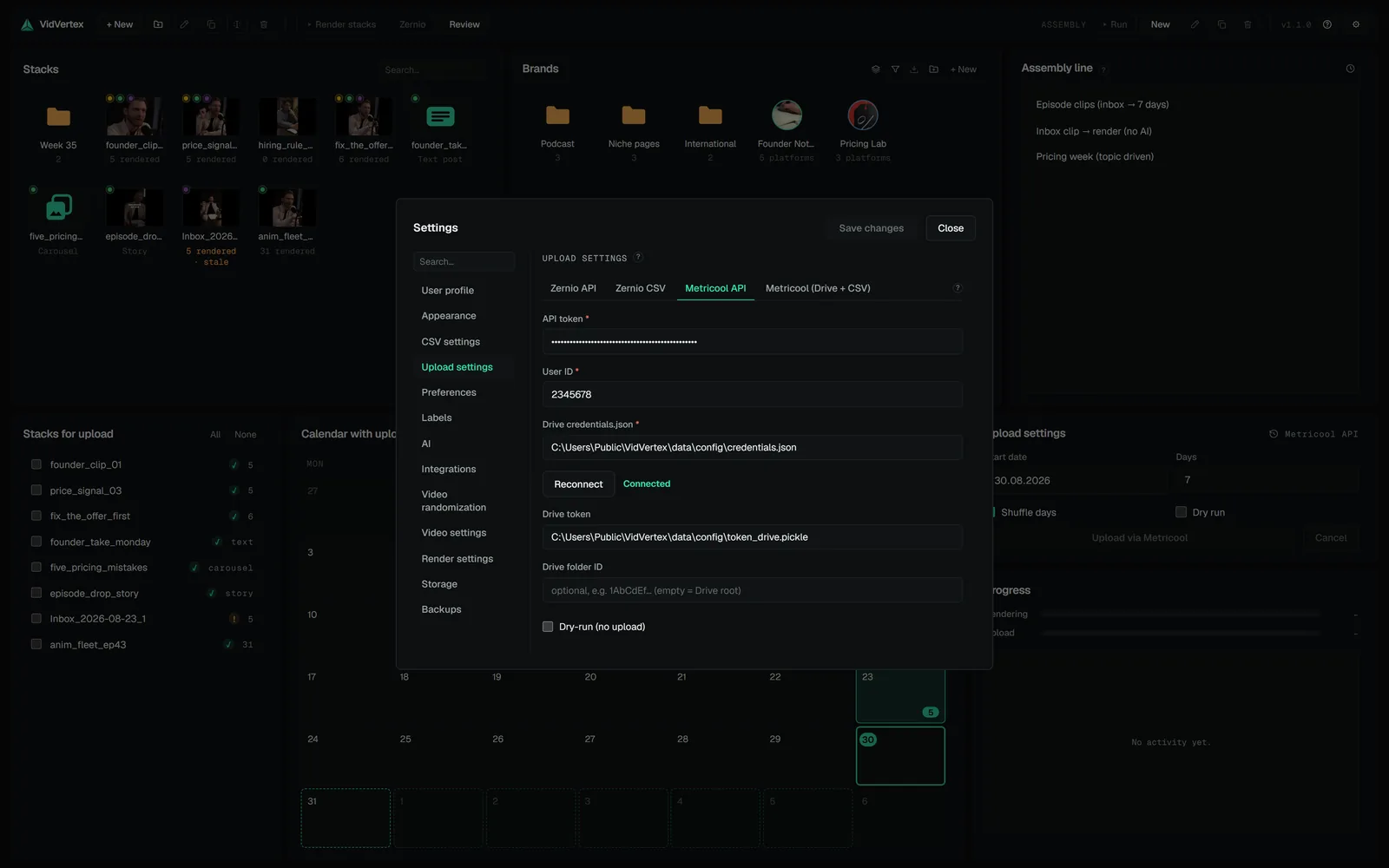
The rest is plumbing: media goes to your Google Drive as a public link, through normalize, and the Drive copy is deleted once Metricool has re-hosted it; pictures are converted to JPEG first; times are computed in each brand's own timezone, so nothing lands in the past.
Two things the API cannot carry are gaps, not features: covers are not sent (there is no verified payload field for them), and Metricool has no Snapchat network, so Snapchat channels are skipped in both Metricool modes.