Google Drive as a media host: bulk uploads with public links
Schedulers like Metricool take media only as URLs — someone has to host the files. Google Drive does it free, in bulk, with storage you already have. The whole trick is one permission and one link format; here's the hand version, the scripted version, and the mistakes that end in a login page instead of a video.
A bulk scheduler that imports posts by CSV or API doesn't take file uploads — it fetches every video from a public URL at import time (Metricool's CSV and its API both work this way). So a batch of rendered videos needs a host that is: free at real batch sizes, scriptable, and boring. Google Drive is all three.
The pattern is always the same, whatever tool sits downstream:
- Upload the files.
- Set them to "anyone with the link" can view.
- Hand the share links to the scheduler.
By hand, for small batches
- In drive.google.com, create a folder for the batch and drag all files in at once.
- Right-click the folder → Share → General access → "Anyone with the link", role Viewer. Files inherit the folder's access, so one setting covers the whole batch.
- Per file: right-click → Copy link. That link goes in the CSV.
The permission is the step everyone forgets. A Drive file is private by default — the link looks shareable, but a server fetching it gets Google's sign-in page instead of the file, and the importer either errors or silently skips. If a downstream tool reports a broken media URL, check this before anything else: open the link in a private browser window; you should see the file without logging in.
The link format
The link you copy looks like this:
https://drive.google.com/file/d/FILE_ID/view?usp=sharing
That's the one to use. It technically points at Drive's viewer page, not the raw bytes — but import backends recognize the pattern and resolve it to the file server-side. We've pushed rendered videos north of 70 MB through Metricool's CSV import and its normalize endpoint on exactly this format.
There is also a direct-download form:
https://drive.google.com/uc?export=download&id=FILE_ID
Some tools want that second form instead. Its catch: past roughly
100 MB, Google answers it with a "can't scan this file for viruses"
confirmation page rather than the file, which breaks naive downloaders. Try
the share link first; reach for uc?export=download only when a tool
demands it.
Scripted, for real batches
Uploading thirty files by hand once is fine; every week, it isn't. The Drive
API does the whole pattern in a few lines per file (Python,
google-api-python-client):
from googleapiclient.http import MediaFileUpload

media = MediaFileUpload(path, resumable=True)
file = service.files().create(
    body={"name": name, "parents": [folder_id]},
    media_body=media,
    fields="id",
).execute()

service.permissions().create(
    fileId=file["id"],
    body={"type": "anyone", "role": "reader"},
).execute()

link = f"https://drive.google.com/file/d/{file['id']}/view?usp=sharing"
resumable=True uploads in chunks and survives a hiccup mid-file,
which is what you want for multi-hundred-megabyte batches on home upload
bandwidth.
The permission call is per file and explicit: scripted uploads don't pass
through the folder-sharing UI, so grant type: "anyone", role: "reader" right
after each upload.
The drive.file scope is enough. It lets the script touch only
files it created itself, never your whole Drive — there is no reason to
request more, and a narrow scope is also what makes cleanup safe later.
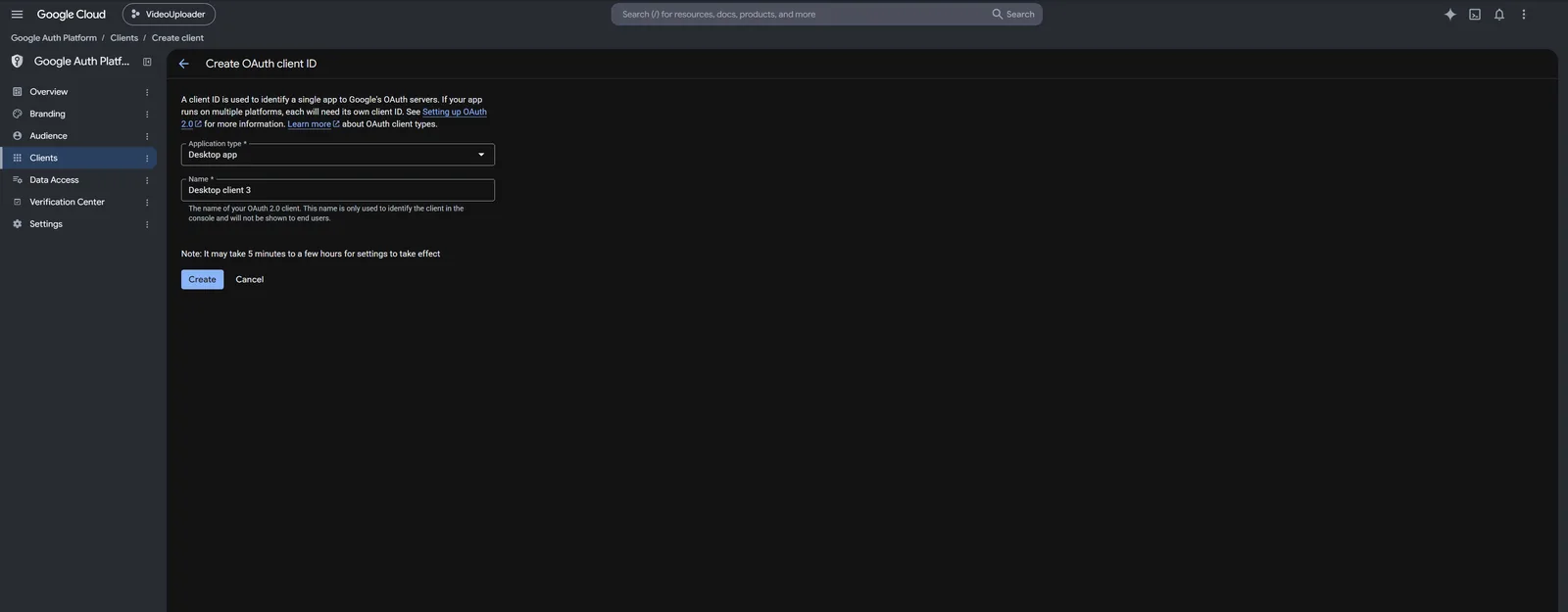
The one-time chore is the OAuth client (a credentials.json from Google
Cloud Console and one consent click). It's the same setup VidVertex uses —
the walkthrough is here: Google Drive setup.
Housekeeping
- Storage math: the free tier is 15 GB, shared with Gmail and Photos. Rendered vertical videos run tens of MB each, so a few hundred fit — but a weekly pipeline will want an occasional cleanup or a paid tier.
- Know when the copy stops being needed. Metricool re-hosts every file on its own servers — at normalize on the API route, at import on the CSV route — so the Drive copy is dead weight from then on. For a scheduler whose behavior you haven't verified, keep the files until the posts have actually published.
- One folder per run keeps cleanup honest: when a batch is through, the folder can go as a unit.
- Deleting means deleting. A trashed file still counts against the quota until the trash is emptied.
Rendered vertical videos run tens of megabytes each, so the free 15 GB is roughly a few hundred of them — and a weekly pipeline that never cleans up hits that wall with a raw quota error, not a warning.
Where VidVertex fits
Both of VidVertex's Metricool routes run this exact chain automatically at the
end of an upload run: every rendered brand-and-platform variant goes to your
Google Drive (resumable, drive.file scope, share permission set per file).
In Metricool (Drive + CSV) the ready-to-import bulk CSV lands next to it
with the links already in place; in Metricool API the link is normalized
and the app deletes its own Drive copy right after
(upload modes). Google Drive is never a
publishing path here — it is the transfer vehicle, nothing else.
Because drive.file only ever sees files the app created itself,
Settings → Storage → Google Drive uploads lists exactly those and
nothing of your own Drive: quota, every file the app put there, and whether
a scheduled post still points at it.
Connect Drive once — the OAuth-client walkthrough — and the hosting step, cleanup included, disappears from your week.