The full pipeline: from finding content to republishing
Every serious content operation runs the same seven stages — most people just run them by accident, in the wrong order, in one exhausting sitting. Here's the whole pipeline, named and wired.
Zoom out far enough and every short-form operation — solo creator, theme-page portfolio, client work — is the same machine:
Research → Acquire → Organize → Produce → Multiply → Schedule → Learn, in a loop. The difference between hobby and operation is whether these stages are separate, systematized steps or one heroic Tuesday night. This guide walks the loop once, with links into the deep dives — and, where a stage is tooling- shaped, the honest note on what VidVertex automates there.
Stage 1 — Research: know what you're making
Weekly, timeboxed: what's working in the niche, which formats rise, where's material. Output is always two artifacts — a decisions note and a link list (AI-assisted research makes this a 20-minute stage). No research stage = producing on vibes, and the analytics loop has nothing to compare against.
Stage 2 — Acquire: get the material
Turn the link list into files: your own footage exports, recorded gameplay (filler library), licensed/stock material, downloads of content you have rights to republish. Batch it — one fetch session, not per-video hunting. (Tooling: the free Downloader eats a pasted link list and drops everything into the inbox folder.)
The republishing line, once, without drama — republish what's yours: your content, licensed material, permitted gameplay, transformed work that adds something. The four green-list sources in the sourcing guide cover practically every format; build on those and this stage never bites.
Stage 3 — Organize: one place, one order
All incoming material in one folder, newest first, nothing renamed by hand. This sounds trivial and is the difference between "produce next clip" being a click or a search. (Tooling: VidVertex's inbox tracks what's already been used, so "next unused clip" is a fact, not a memory (automation docs).)
Stage 4 — Produce: the template does the work
Per piece: fit the clip into the layout, captions on, hook on, texts written. The craft inputs are your saved decisions — a layout template (safe zones), a hook pool, a caption style (captions).
Production should be assembly from decided parts, never re-deciding per video. Every decision you make once is a decision that stops costing you time.
(Tooling: this stage is VidVertex's stack + preset system — stack editor; transcription is local and free — captions.)
Stage 5 — Multiply: one production, many outputs
The stage most operations skip and leave reach on the table: the same production goes out per platform (cross-posting), per page/brand if you run several (portfolio model), per language if you've expanded (going international) — each output branded, technically distinct, platform-correct. Done by hand this stage is the day-job; done as one stack render it's a button (rendering docs).
 Click to enlarge
Stage 6 — Schedule: the calendar absorbs chaos
Everything produced lands in a queue spread over days per account (cadence logic), pre-flight checked (duplicates, limits), pushed out automatically (scheduling docs). A filled calendar is the pipeline's buffer: production hiccups stop being posting gaps.
Stage 7 — Learn: close the loop
Weekly, same timebox as research: retention curves of best and worst, one experiment for the next batch (the reading guide). This stage feeds Stage 1 — which is what makes it a loop instead of a treadmill.
Running it: rhythm beats heroics
A working weekly shape — adjust the days, keep the separation:
| Sitting | Stages | What comes out |
|---|---|---|
| Research / acquire | 1–3 | Links → files → inbox |
| Production | 4–5 | Batch-built stacks, one render batch |
| Scheduling + review | 6–7 | A filled calendar, last week read, one experiment written |
Three sittings, and the feed runs daily.
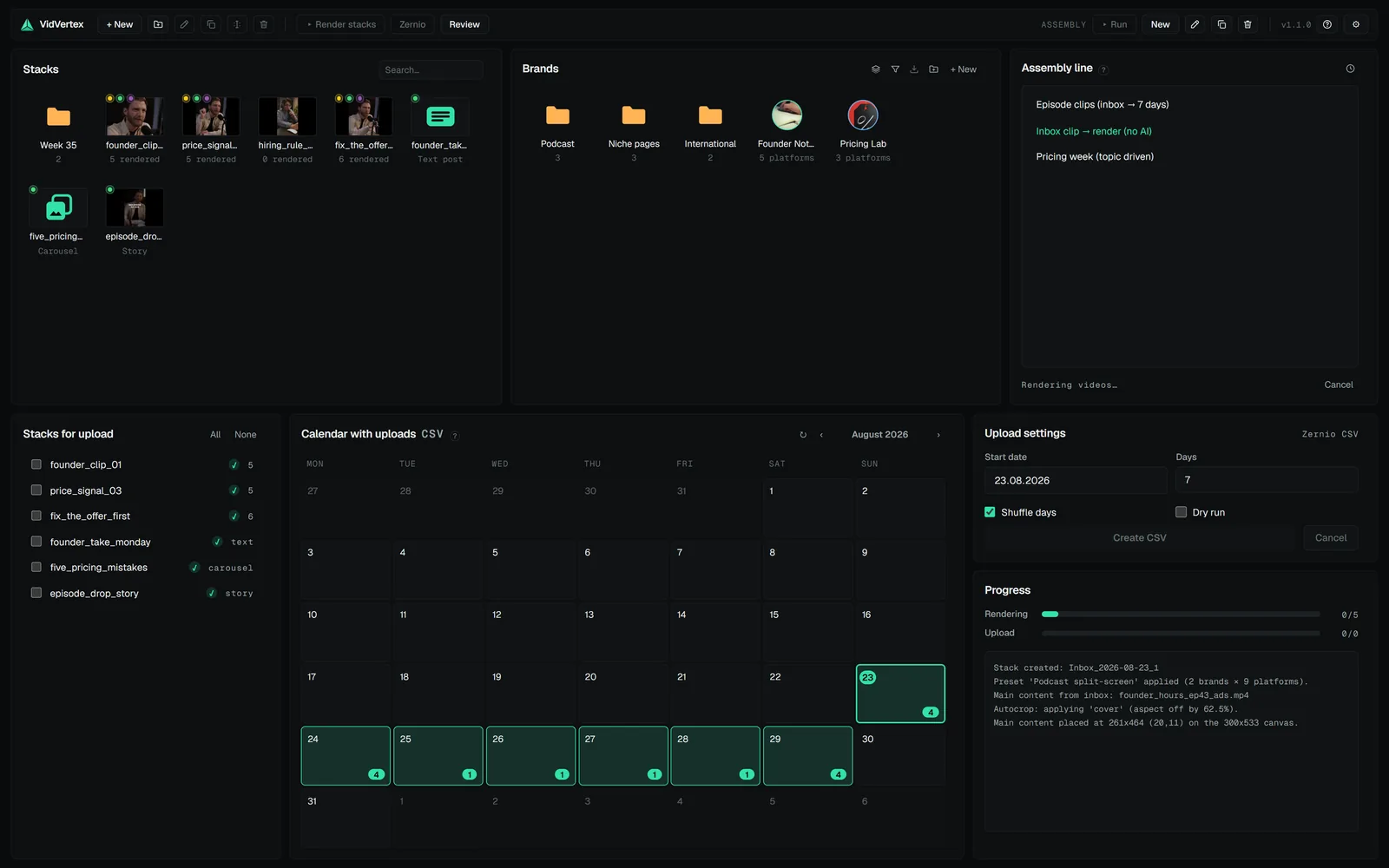
Automation shifts the ratio further — the assembly line collapses Stages 3–6 into a preset run (automation docs) — but the shape is the point, with any tools: separate stages, batched, in a loop. That's the entire secret behind every account that "posts every day without burning out."