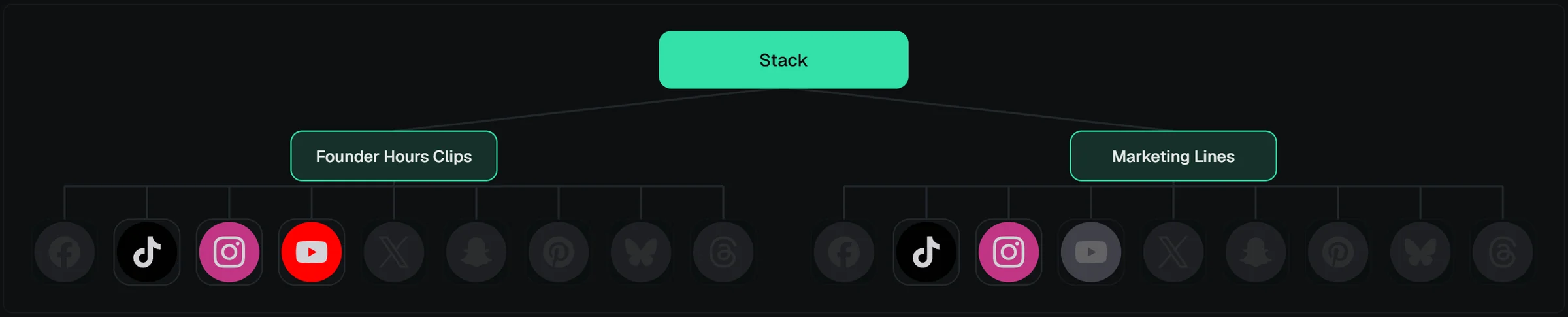
The brand & channel map
In the stack editor, the stack's active brands appear as a tree: brand nodes with platform icons. You can toggle individual brand × platform channels on and off right there — a channel you switch off is skipped at render and upload time for that stack. Platforms the brand editor disabled, and platforms that can't publish the stack's post type, draw faint and locked with a tooltip saying why. The map zooms with the mouse wheel and pans with Ctrl+drag; it starts collapsed on every editor visit.