The hook widget
The hook is the opener — the first seconds that decide whether anyone stays.
- Hook lines: enter multiple angles (one per line), or generate them from the briefing. Variants rotate through them, so ten renders don't all open with the same sentence.
- Three modes:
- Overlay — the line sits on the video for its time window, then fades. The video's length is unchanged.
- Card — a dedicated card segment (color or image/video card) is placed in front of the video: the hook text on a clean surface, then your video starts.
- Blur — the opening seconds of your own video, blurred (frozen or moving), with the hook text on top — then it un-blurs into the real start.
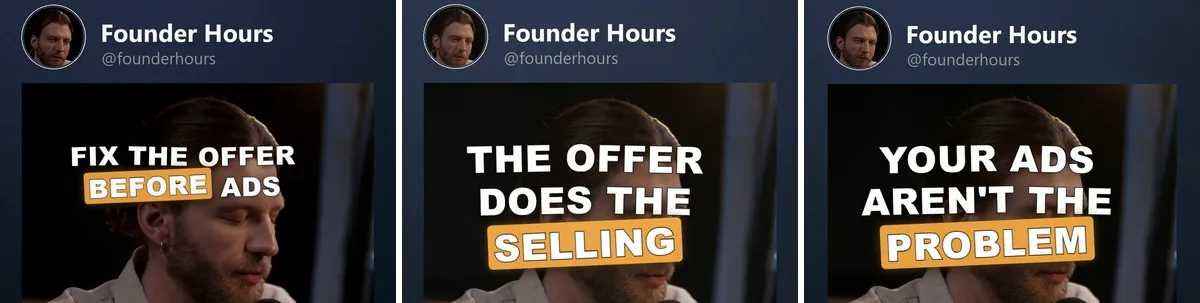 Click to enlarge
Why your ads keep failingFix this before you scaleWhat a weak offer costs
Styling and voiceover
- Styling: color, size, font, shade — plus an optional motion title: the line animates in instead of standing still. Twelve looks, chosen from a tile grid that plays each animation on hover. The brand's accent color is the default; a stack can override accent and font.
- Voiceover : in card and blur mode, an AI voice can speak the hook line over the otherwise silent pre-roll (bring your own TTS key; per-brand voices; volume slider). Spoken lines are cached — twelve variants sharing a hook line cost one TTS call — and the editor plays the voice during preview playback. A voiceover is synthetic speech, so the post usually needs the platform's own AI label — how to set it.
Where a hook line comes from
Three sources, in this order:
- The per-language pool for the brand's content language, when the stack has one.
- The flat list on the Hook tab.
- The line stored on the hook widget for that brand — what an assistant writes over MCP when each brand needs its own wording.
The Hook tab says so when it applies: with per-brand lines in play it shows "This stack's hook lines are stored per brand on the hook widget", and a line typed into the list replaces them for every brand. When pools exist for some languages but not for a brand's, the tab names the gap — those brands fall back to the flat list.
NOTE
Card and blur add seconds in front of your video; overlay doesn't. The canvas shows all three modes true to the final render — including the card surface and the blur.