
- Transcribe (Content tab): click Transcribe now. VidVertex extracts the audio and runs a local Whisper model on your CPU. No API, no upload, no cost. The result is a word-level transcript — every word with its exact timing.
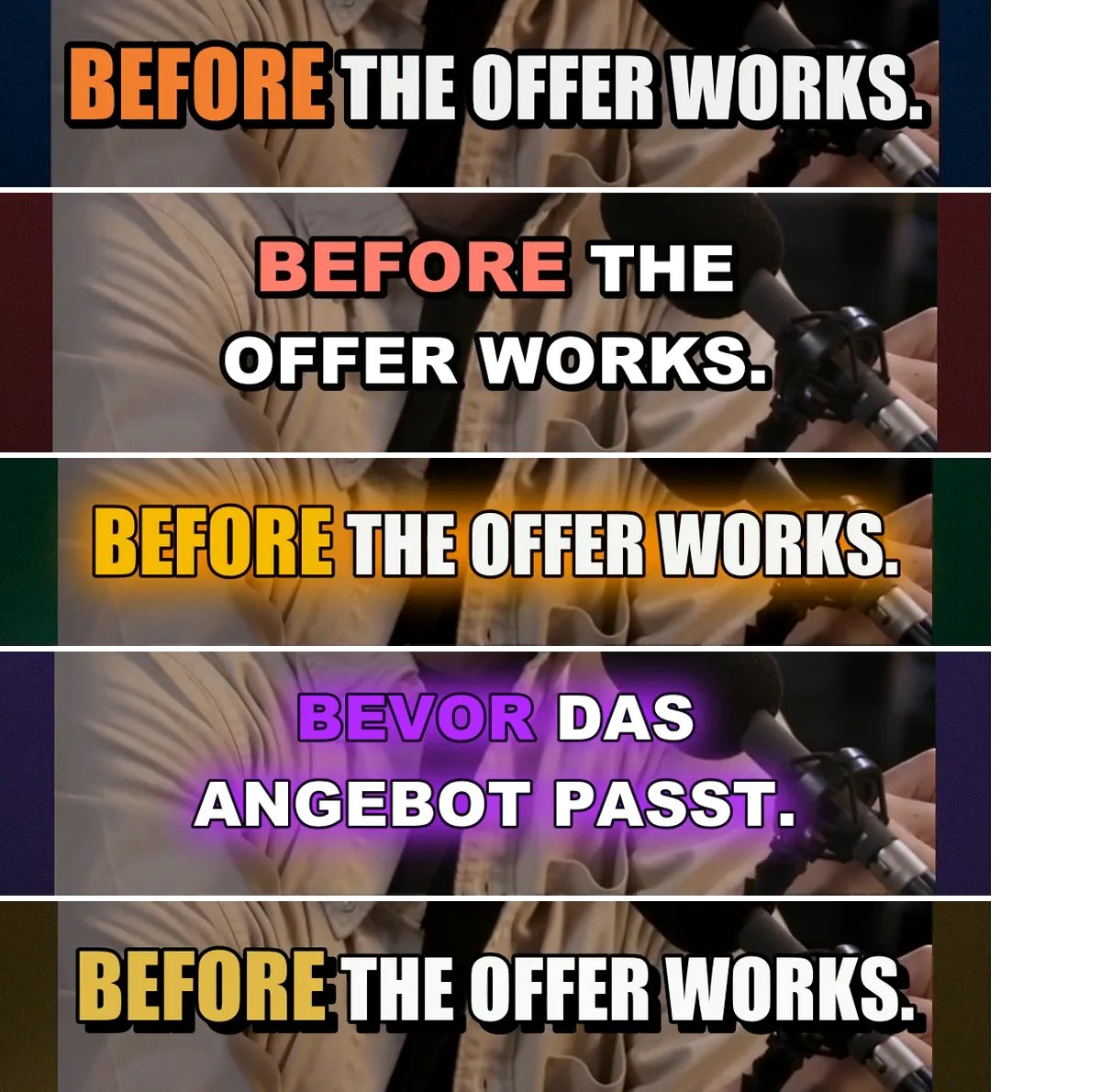
- Style (Captions tab): pick a look, size, words per line, position.
- Render: captions are burned into the video as the topmost layer. Twelve brand × platform variants transcribe once — the transcript is cached per stack.
 Click to enlarge
The speech model
The standard model ships with the app, so the first transcription works offline and without waiting. Larger models (for tricky audio) are downloaded once on demand — the status line names the size and shows the download progress; afterwards they're local too. The Model dropdown and the line naming where the active model comes from sit on the Content tab, next to Transcribe now.
Captions are a bonus, never a blocker. A render whose model isn't available still finishes — without captions, with a warning in the log. So VidVertex checks before a render starts: the render confirmation (and the CLI) warns when the model is missing and the machine is offline, and notes when the first render will download it once.
Expect roughly a few seconds of processing per ten seconds of speech on a normal CPU.
DOCS · CAPTIONSStylesBuilt-in presets cover the common looks — clean, bold, outlined, glow — with three highlight modes: the spoken word highlighted, karaoke fill, or no…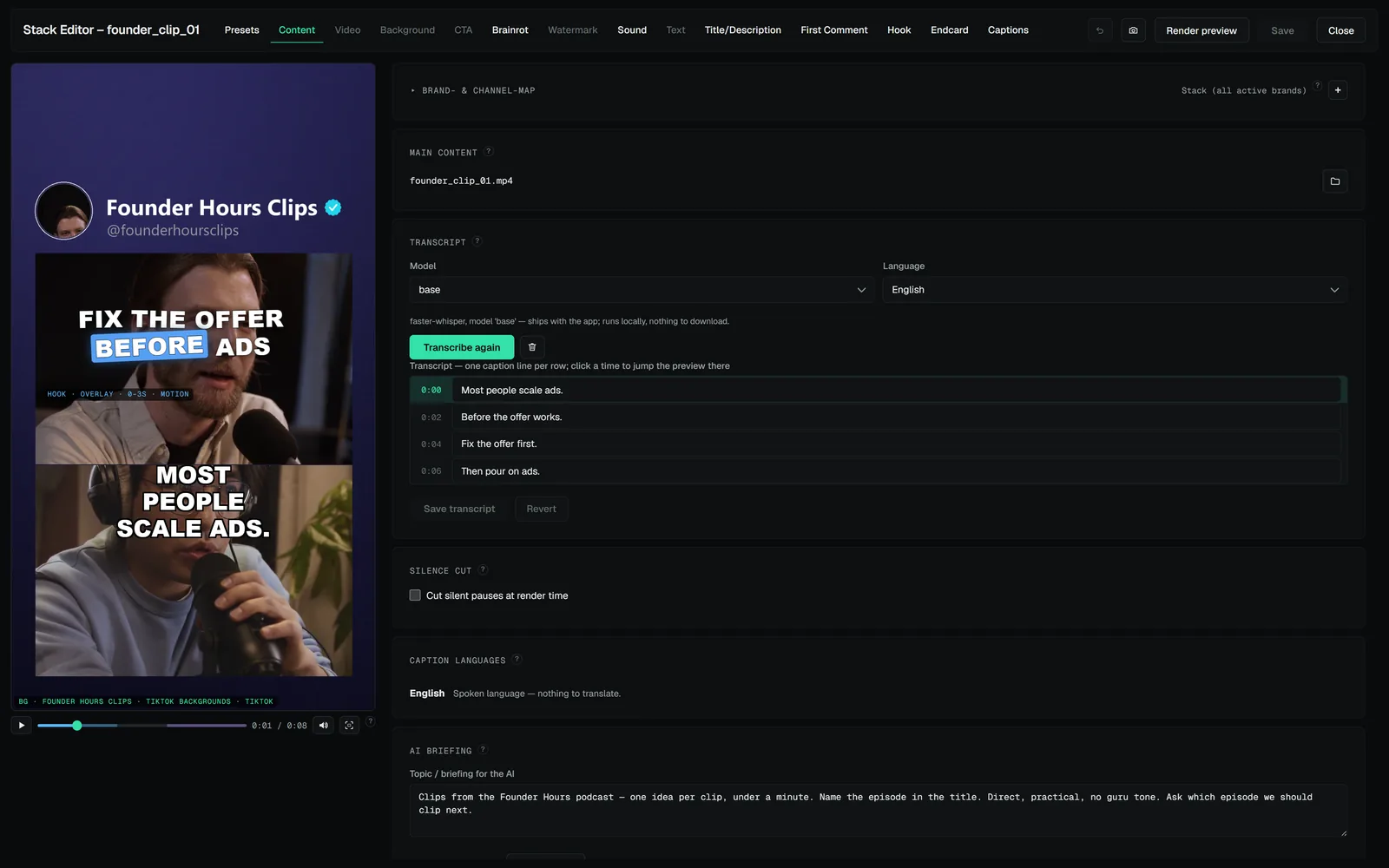 DOCS · CAPTIONSThe editable transcriptWhisper is good, but names and brand words sometimes come out wrong.