Get oriented: the hub
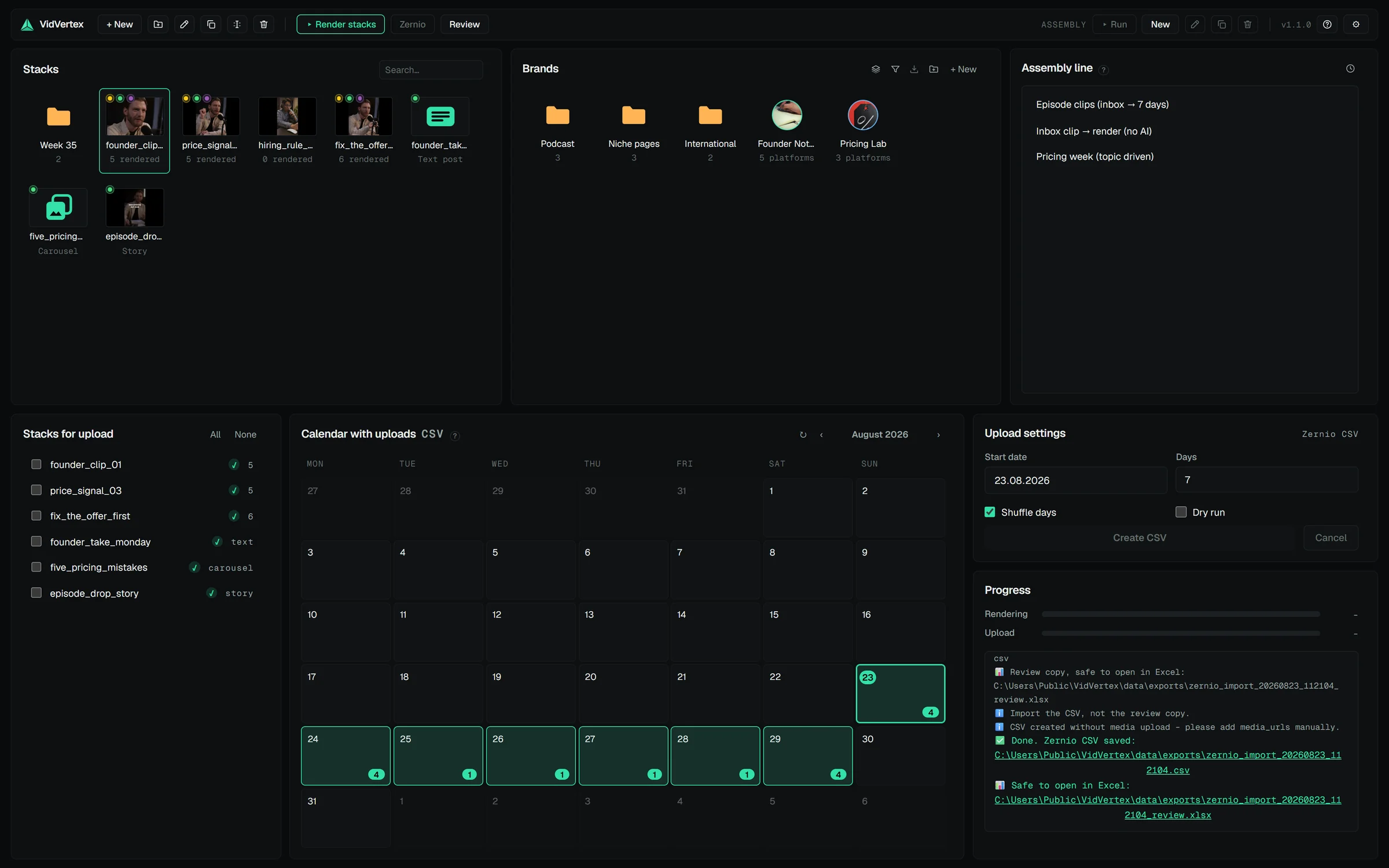
After activation you land in the hub. Two pools matter:
- Stacks — your video projects. A stack is the recipe for one piece of content: the clip, its overlays, captions, texts. One stack renders into many files (one per brand × platform).
- Brands — the channels/pages you publish as. A brand carries its own logo, pools, hashtags, caption look and (optionally) connected accounts.
Four moves take you from here to the first scheduled post:
- Connect Zernio or Metricool under Settings → Upload settings.
- Import or create your brands in the Brands panel.
- Fill the asset pools in the pool manager.
- Create a stack.
Everything you produce lives on your disk, in a data folder the app manages
(%LOCALAPPDATA%\VidVertex\data by default; movable under Settings →
Preferences). Stacks and brands are normal files — back up the folder and
you've backed up everything.
RELATED · GETTING STARTED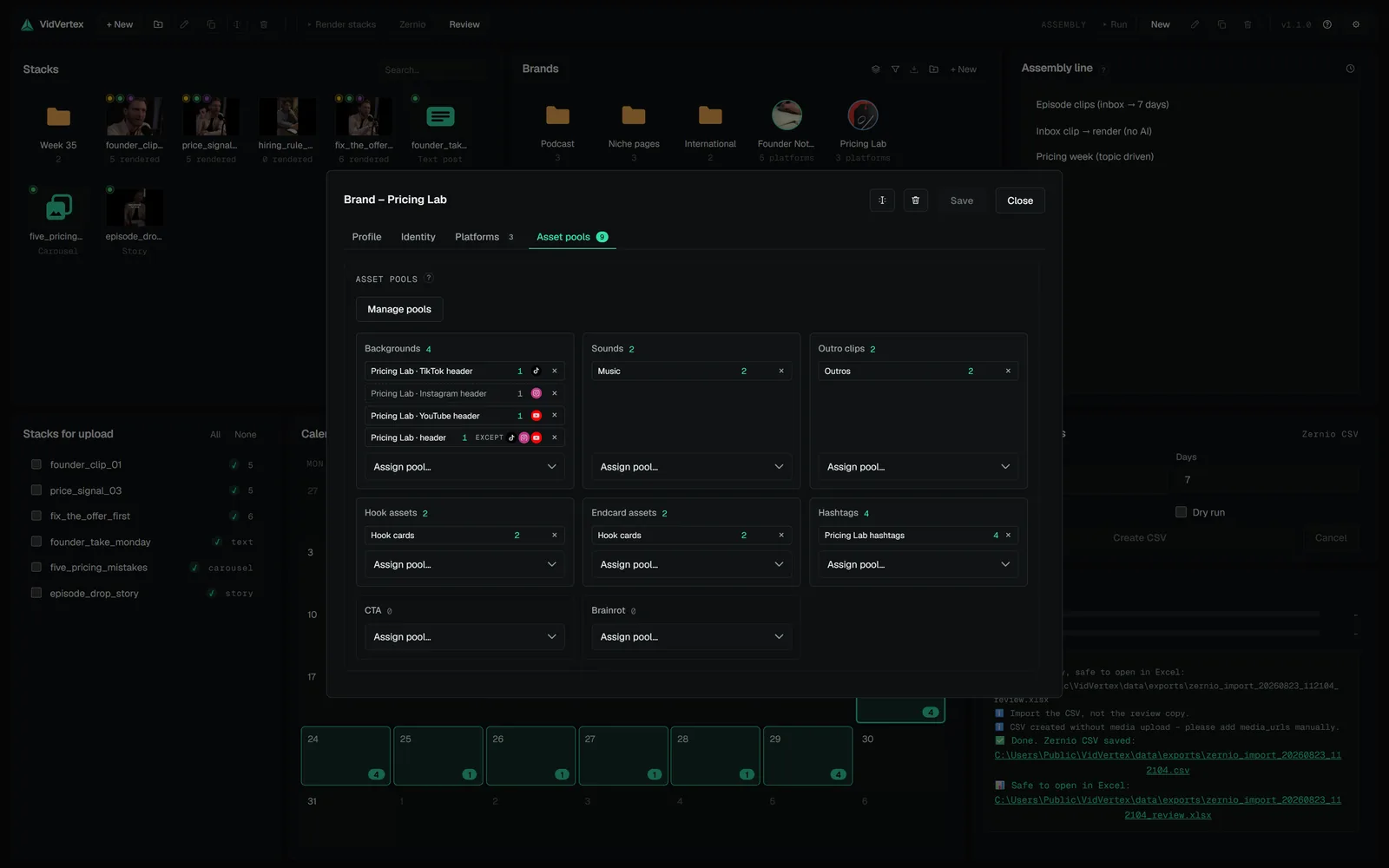 DOCS · GETTING STARTEDCreate your first brandThere are two ways to get a brand: import it from Zernio with its accounts already connected, or create it by hand and enable its platforms yourself.
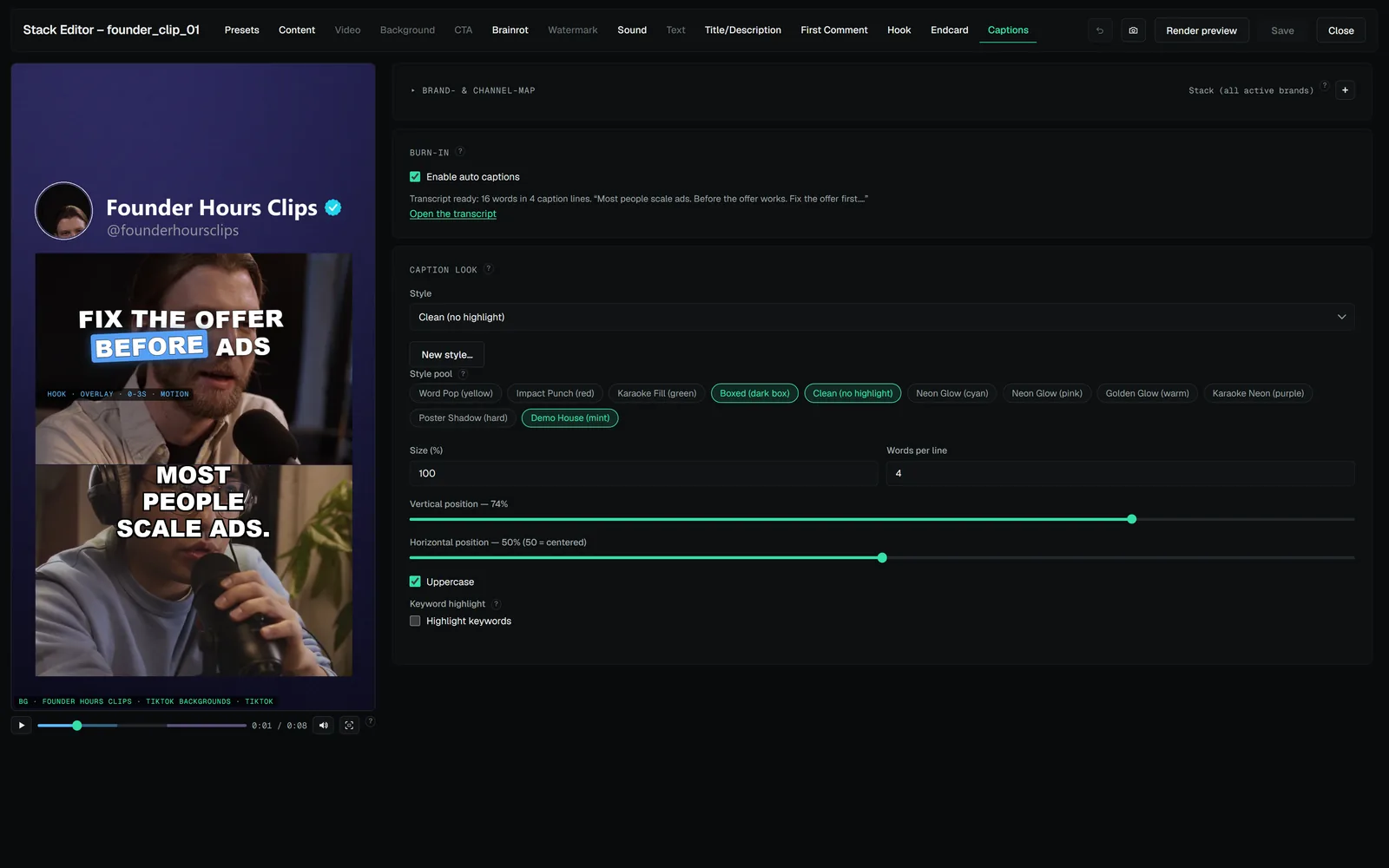 DOCS · GETTING STARTEDBuild your first stackA stack is one post's layout: the clip, what sits around it, the captions and the hook.DOCS · GETTING STARTEDRenderBack in the hub, select your stack and start the render.
DOCS · GETTING STARTEDCreate your first brandThere are two ways to get a brand: import it from Zernio with its accounts already connected, or create it by hand and enable its platforms yourself.DOCS · GETTING STARTEDBuild your first stackA stack is one post's layout: the clip, what sits around it, the captions and the hook.DOCS · GETTING STARTEDRenderBack in the hub, select your stack and start the render.