The editable transcript
Whisper is good, but names and brand words sometimes come out wrong. Fix them in the transcript editor (Content tab):
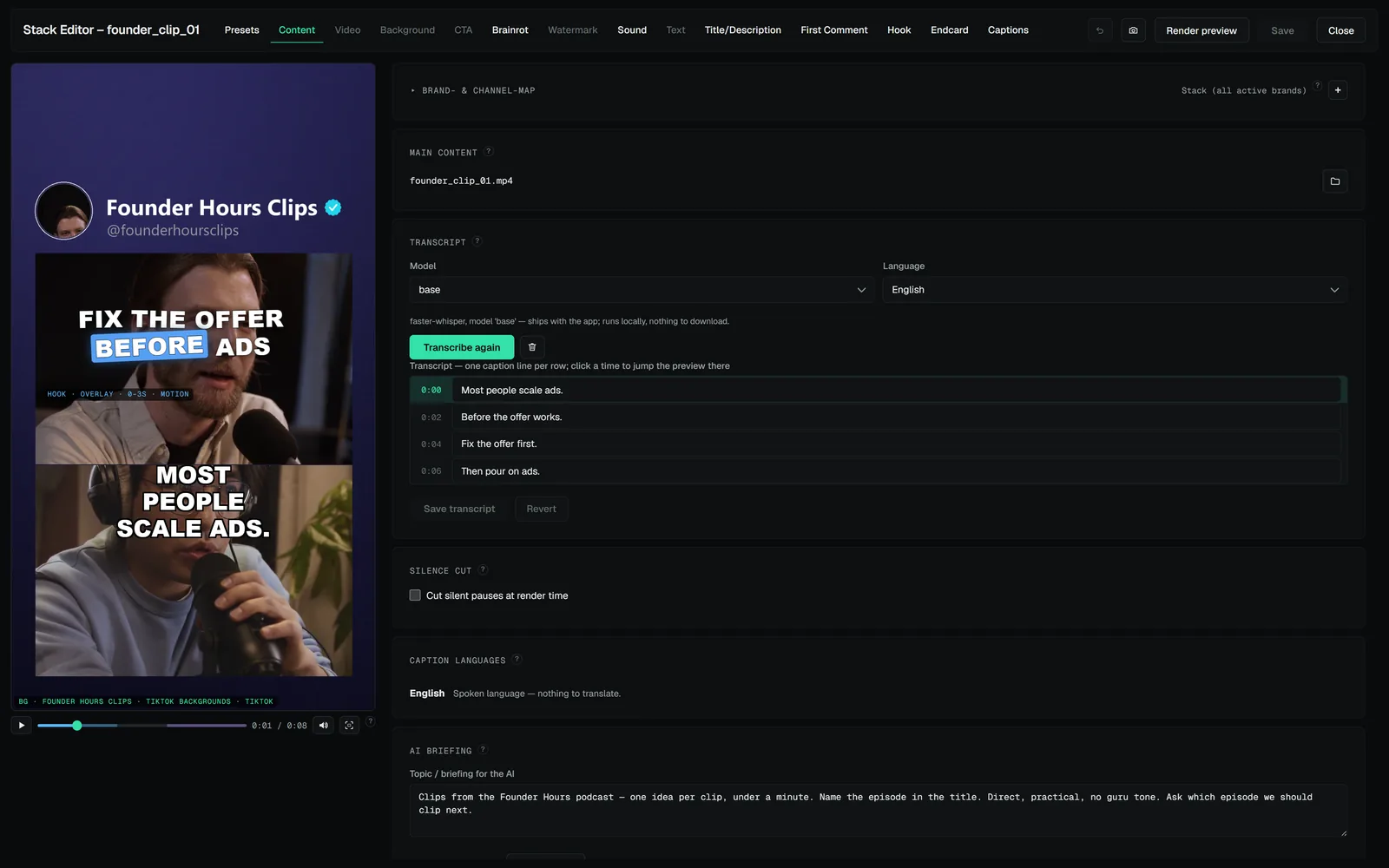
- The transcript shows one caption line per row, prefixed with the moment it is
spoken as
[m:ss]. Those timestamps are labels — they are stripped before the text is re-timed and never end up in a caption. - Edit any word — corrected words keep their original timing. Where you insert or replace longer runs, the timing is spread sensibly across the space the original words occupied.
- Translations are edited in the same editor: pick a brand language and you edit that translation instead of the spoken transcript.
- Your edits stick: an edited transcript is never silently re-transcribed.
The transcript is also the data behind two other features: the silence cut (pauses between words are trimmed, captions re-timed onto the cut) and music ducking (the bed dips under speech).