The canvas
The left side is a live preview canvas in the video's 9:16 aspect. Everything on it is real.
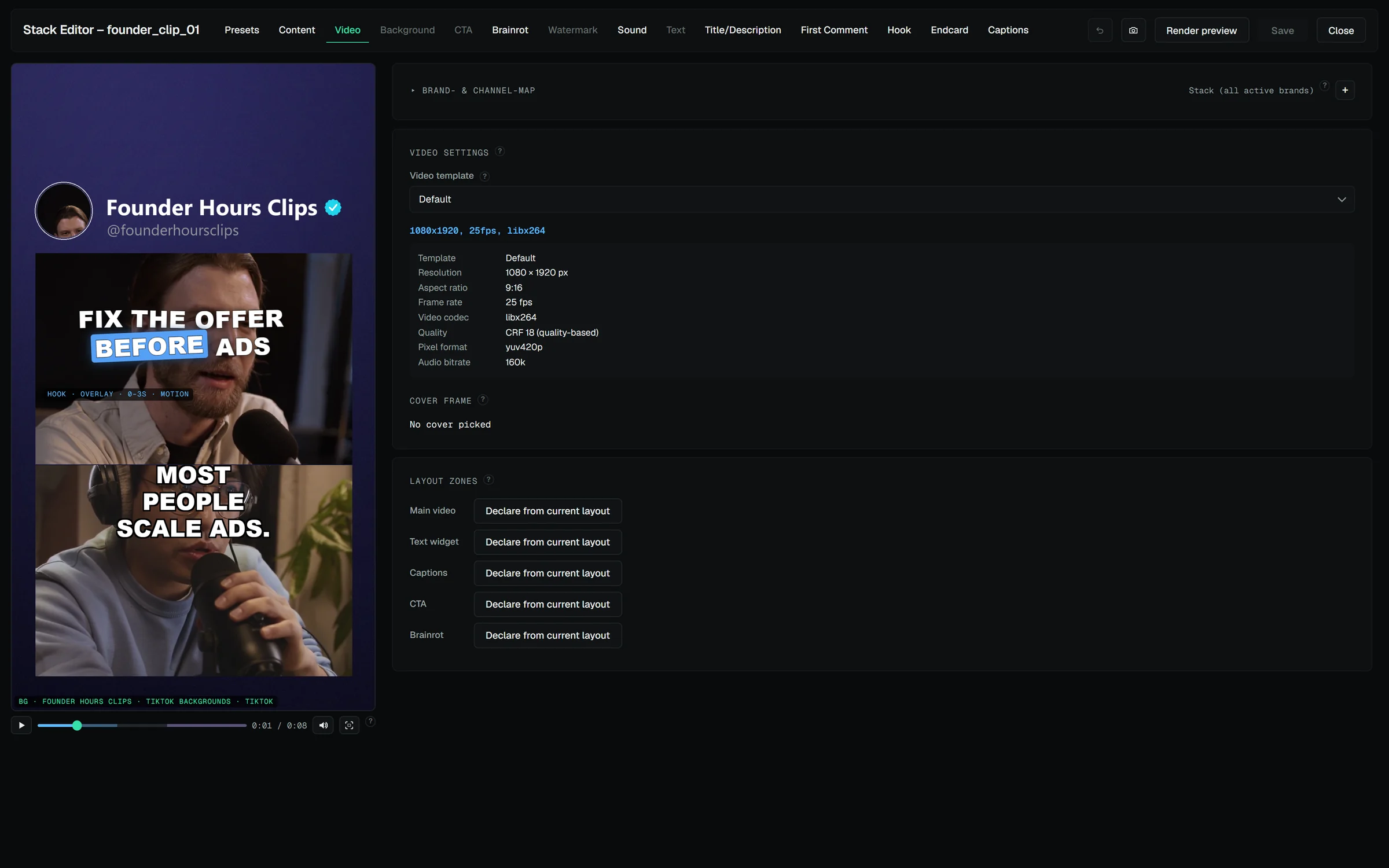
What you can do on it:
- Drag any element to move it; scale with the mouse wheel or corner handles. Layout is stored relative to the frame, so it renders exactly where you put it.
- Playback: press play and the preview plays — main clip with audio, video overlays looping, captions and hook following the playhead. Long or high-resolution sources play through lightweight preview proxies so scrubbing stays smooth; the render always uses the originals.
- Stacking order: right-click an element to bring it to front / send it to back. The preview shows the true render order.
- Time-gated elements (hook at the start, endcard at the end) appear on the canvas only while the playhead is inside their time window — or whenever you select their tab, so you can always position them. Their windows are marked on the scrub bar in their own colors.
Ctrl+Z and Ctrl+Y step through every edit since the last save — one drag is one step. Text fields keep the browser's own undo.
Render preview — the 1:1 check
The live canvas approximates a few things it cannot simulate (the hook's pre-roll seconds, the outro, the silence cut, music ducking). Render preview in the header runs the real pipeline for one variant at reduced resolution — every feature included — and shows it in a modal. Use it before rendering every variant. The modal is also where you pick a cover frame: "Use this frame as cover" makes that moment the thumbnail on platforms that take one (Instagram, TikTok); the choice shows under Video tab → Cover frame.
Only one render per stack runs at a time. If the hub, the assembly line or an assistant is already rendering this stack, the preview is refused with a message naming who holds it — wait for that render or cancel it there.
Snapshots
Every save first freezes the stack's configuration as a snapshot (the newest 30 are kept); the Snapshots button in the header lists them, lets you take a manual one with a label, and restores any — a restore freezes the current state first, so it's always reversible. Snapshots cover configuration only, never rendered files.